1
Configuring Component Manager for a
Sun StorEdge T3 Array
This section contains the procedures to configure Component Manager to operate
with the Sun StorEdge T3 arrays.
■
“Configuring the hosts File” on page 13
Configuring the hosts File
You must add the IP address and the component name of the Sun StorEdge T3
arrays to the {your_installation_directory}\etc\opt\SUNWesm\mo\hosts file so that
Component Manager can communicate with them.
▼
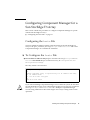
To Configure the hosts File
● Use an editor to make an entry in {your-installation-directory}\etc\opt\SUNWesm\
mo\hosts. The default for your-installation-directory is C:ProgramFiles\Sun
Microsystems\StorEdge.
The entry format is shown below.
# Component Manager 2.2 - Component table
#
# Each component entry is specified by its IP address and name,
#
IP address Name
#
123.45.67.890 cafejapan
#
123.45.67.890 ada48
If you will be installing Component Manager on more than one system, do not allow
any Sun StorEdge T3 array to be configured more than once in any {your-installationdirectory}\etc\opt\SUNWesm\mo\hosts file. Multiple Component Manager
sessions using identical host file entries might cause arrays to hang under certain
operations.
Installing Sun StorEdge Component Manager
13