1
Programming the S2000-KDL to Operate the DIP-34A
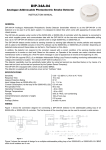
To handle signals from a DIP-34A correctly, a S2000-KDL controller must be programmed with the Zone Type parameter
for this DIP-34A being set to value 1 (Smoke) or 8 (Smoke Analogue Addressable with Variable Thresholds). To program
the S2000-KDL, connect it to a PC under UProg Configuration Tool and follow the relevant programming instructions in
accordance with the S2000-KDL User’s Manual.
DIP-34A ROUTINE TESTING
Before testing DIP-34A, please disconnect executive outputs of all system devices and modules that can
release an extinguishing agent or activate light and sound alarms. Notify the fire department and persons
where the audible signals can be heard.
After testing verify that all detectors are ready to operate properly. Then restore operability of all the system
components disconnected before testing and inform the relevant departments about completing the test.
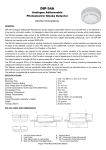
To test the DIP-34A detector, turn on the network controller and the S2000-KDL controller. The light emitter of the
detector will light steady. When the communications between the detector and S2000-KDL will be set the light emitter will
flash once per 4 seconds indicating Norm detector status.
Take a spray can of smoke detector test aerosol and spray some of the test material into the detector. The network
controller shall display Fire Alarm message for the device with the address of the DIP-34A. The detector light emitter will
flash double each 4 seconds.
Alternately, you can perform a simplified test just by pressing the detector light emitter or lighting it with the laser beam of
a laser test tool. This will cause steady lighting of the detector light emitter followed by its double flashing each 4 seconds.
The network controller will display a:
-
Fire Alarm message for the device with the address of the DIP-34A when the S2000-KDL of versions 1.35 and
below is in use
-
Test message or Fire Alarm message (depending on the current test mode) when the S2000-KDL of versions
1.36 and above is in use (see the Manuals for the S2000-KDL controller and the network controller)
When the aerosol is scattered (or light emitter pressing is terminated, or laser test tool is disposed) the detector must
enter Norm status.
If the network controller has displayed no messages mentioned above or the light emitter behavior differs from that
mentioned above then the detector is defective and must be replaced.
MAINTENANCE
Please test the detector operability annually as said above.
When a Service Required message is received from the detector remove the dust and dirt from the detector smoke
chamber.
WARNINGS
To avoid contamination of the detector please DO NOT remove protective cover until the environment will be
cleaned from dirt and dust.
DO NOT remove the detector PCB because this automatically cancels the warranty.
DO NOT mount the detector within the premises where air velocity values exceed 15 m/s.
ZAO NVP Bolid, 4 Pionerskaya Str., Korolev 141070, Moscow Region, Russia
Phone/fax: +7 495 513-32-35
Email: info@bolid.ru, overseas@bolid.com
www.bolid.com