1
User Manual
4.2.3
FlexGain FOM16,V3
Main Menu
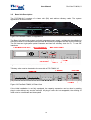
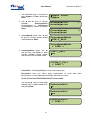
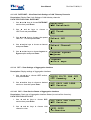
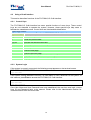
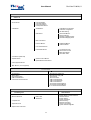
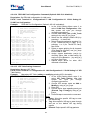
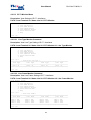
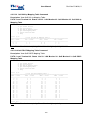
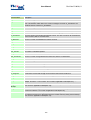
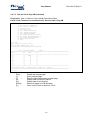
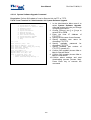
The Main menu is the first screen displayed after login. Main menu lists major command groups
for the FG-FOM16,V3 Craft Interface Software. The command groups are described below. It
divides into “Local Terminal” & “Remote Terminal” and all commands are similar in them.
Also, there is the same command tree when the system is accessed by Telnet.
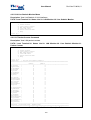
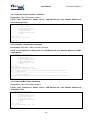
Login User Name:
Main Menu
1. Local Terminal
2. Remote Terminal
?. Help
*> [1]:
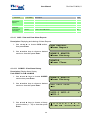
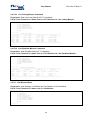
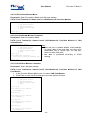
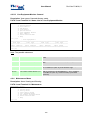
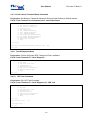
Local Terminal
1.
2.
3.
4.
5.
6.
0.
?.
Configuration
Status List
Maintenance
Performance
Test & Diagnose
Administration
Return Previous Menu
Help
*>> [1]:
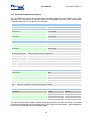
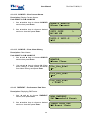
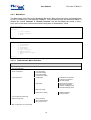
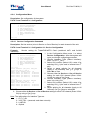
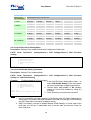
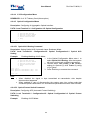
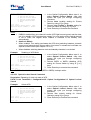
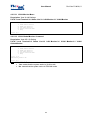
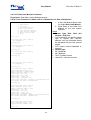
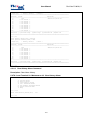
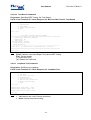
4.2.3.1 Craft Interface Menu Structure
Local Terminal
1.
Configuration
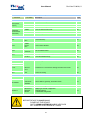
1. Service Configuration
2. E1/T1 Configuration
1. Line Type Setting
2. Line Frame Setting
3. Line Coding Setting
4. Line Equalizer Setting
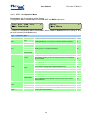
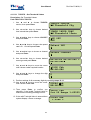
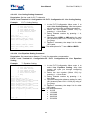
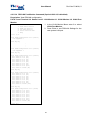
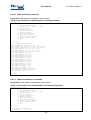
3. LAN Configuration
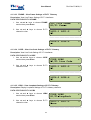
1. VLAN Setting
1. VLAN Global Configuration
2. VLAN Port Configuration
3. VID Table Setting
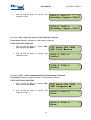
2. QoS Setting
1. QoS Global Configuration
2. QoS Port Configuration
3. QoS 802.1p Mapping Table
4. QoS DSCP Mapping Table
3. Rate Limit Setting
4. LAN Provision Setting
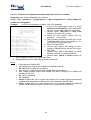
4. V.35 Configuration (Reserved)
5. Optical Configuration
1. OPT ALS Setting
2. OPT Protection Switch
3. OPT Locked Cancel
6. Misc. Configuration (is not supported)
76
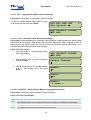
1. LAN Global Setting
2. LAN Port Setting