1
 Important Safeguards
In addition to the careful attention devoted to quality standards in the manufacturing process of
your video product, safety is a major factor in the design of every instrument. However, safety is
your responsibility too. This sheet lists important information that will help to assure your
enjoyment and proper use of the video product and accessory equipment. Please read them
carefully before operating and using your video product.
Installation
1. Read and Follow the Instructions – All the safety
and operating instructions should be read before
the video product is operated. Follow all
operating instructions.
2. Retain Instructions-The safety and operating
instructions should be retained for future reference.
3. Heed Warnings – Comply with all warnings on the
video product and in the operating instructions.
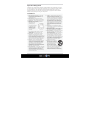
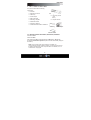
4. Polarization – Do not ignore the
safety purpose of the
grounding type plug.
A grounding type plug has
two blades and a third
grounding prong. The
wide blade or the third
prong are provided for
your safety.
If the provided plug does not fit into your outlet,
consult an electrician for replacement of the
obsolete outlet.
5. Power Sources – This video product should be
operated only from the type of power source
indicated on the marking label. If you are not sure of
the type of power supply to your location, consult
your video dealer or local power company. For video
products intended to operate from battery power, or
other sources, refer to the operating instructions.
6. Overloading – Do not overload wall outlets of
extension cords as this can result in the risk of fire
or electric shock. Overloaded AC outlets, extension
cords, frayed power cords, damaged or cracked
wire insulation, and broken plugs are dangerous.
They may result in a shock or fire hazard.
Periodically examine the cord, and if its appearance
indicates damage or deteriorated insulation, have it
replaced by your service technician.
7. Power Cord Protection – Power supply cords should
be routed so that they are not likely to be walked on
or pinched by items placed upon or against them,
paying particular attention to cords at plugs,
convenience receptacles, and the point where they
exit from the video product.
8. Ventilation – Slots and openings in the case are
provided for ventilation to ensure reliable operation
of the video product and to protect it from
overheating. These openings must not be blocked or
covered. The openings should never be blocked by
placing the video equipment on a bed, sofa, rug, or
other similar surface. This video product should
never be placed near or over a radiator or heat
register. This video product should not be placed in
a built-in installation such as a bookcase or rack
unless proper ventilation is provided or the video
product manufacturer’s instructions have been
followed.
9. Attachments – Do not use attachments unless
recommended by the video product manufacturer as
they may cause a hazard.
10. Camera Extension Cables – Check the rating of your
extension cable (s) to verify compliance with your
local authority regulations prior to installation.
11. Water and Moisture – Do not use this video product
near water. For example, near a bath tub, wash
bowl, kitchens or laundry tub, in a wet basement or
near a swimming pool etc.
Caution: Maintain electrical safety. Power line
operated equipment or accessories connected to
this unit should bear the UL listing mark of CSA
certification mark on the accessory itself and should
not be modified so as to defeat the safety features.
This will help avoid any potential hazard from
electrical shock or fire. If in doubt, contact a
qualified service personnel.
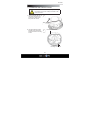
12. Accessories – Do not place this
video equipment on an unstable
cart, stand, tripod, or table. The
video equipment may fall, causing
serious damage to the video
product. Use this video product
only with a cart, stand, tripod,
bracket, or table recommended by the
manufacturer or sold with the video product. Any
mounting of the product should follow the
manufacturer’s instructions and use the mounting
accessory recommended by the manufacturer.