1
2. Instructions
2.8.4. [Shape Library Manager]
The function of [Shape Library Manager] is mainly to build a entire
attributes management.
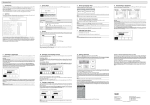
Select [Library]/[Shape Library Manager], the dialog box will be as the
following. See Figure 152.
Figure 152. The [Shape Library Manager] Dialog Box
•
[New]:Create a new shape library.
•
[Open]:Open an existing shape library.
•
[Save]: Saves the active shape library to a file.
•
[Save As]: Allows user to choose which file to save to.
•
[Close]: Select to close the [Shape Library Manager]. If the
changes have not been saved, the dialog box will ask for save
•
[Copy]: Copy selected shape to clipboard.
•
[Paste]: Import the shape from the clipboard.
•
[Cut]: Moves selected shape to clipboard.
ADP 6.0 User’s Manual ADP 255