1
SECTION 9: PRINTING RECORDS
9.1 Selecting a Record to Print
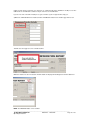
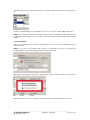
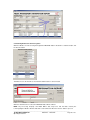
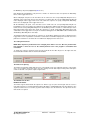
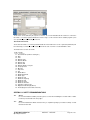
To select a record to be printed, click on the record to be printed in the 'Media Processed' List.
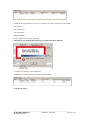
The record to be printed will then be highlighted. Now click the 'Print' button, the normal print dialog box will be
displayed. Select the printer to which the record is to be sent, set the number of copies required and click OK.
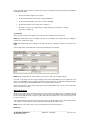
The Record Data is now sent to the printer.
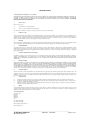
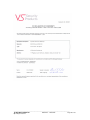
Page 1 – 20/06/2014 – 14:31:28
Media Destruction Record
Company
Name:
Operator:
Supervisor:
Degaussing on Site:
VSSP
Victoria
Brian
Yes
Media Owner
Company Name:
Department:
ICL Engineering
Engineering
Media Information
Type:
Serial Number:
Capacity:
Part Number:
Security Classification:
Remarks:
HDD
79429-499
Unknown
IBM 4430-946
None
Search Failures
Degausser/Crusher Details
Date:
Time:
Degausser/Crusher
Model:
Serial Number:
Firmware Version:
Number of Cycles:
20/06/2014
12:31:09
Crusher
Crunch 250
14060428
1.7
22
Destruction Details:
Result:
Degaussed / Crushed (as appropriate)
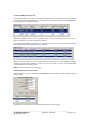
-----------------------------------------------------------------------------------------------------------------------------------The date and time of the printing is stated at the top of the record page.
NOTE: The line spacing of print used can be set by the supervisor.
________________________________________________________________________________
VS SECURITY PRODUCTS
Operating Instructions
ZZ001220 - ZZ001222
Page 21 of 30