1
The Demonstration Database
Creating the Demonstration Database on INFORMIX-SE
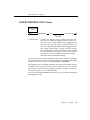
Use the following steps to create and populate the demonstration database in
the INFORMIX-SE environment:
1. Set the INFORMIXDIR environment variable so that it contains the name
of the directory in which your Informix products are installed. Set
SQLEXEC to $INFORMIXDIR/lib/sqlexec. (For a full description of environment variables, see Chapter 4 of The Informix Guide to SQL: Reference.)
2. Create a new directory for the demonstration database. This directory
will contain the example command files included with the demonstration
database. Create the directory by entering
mkdir dirname
3. Make the new directory the current directory by entering
cd dirname
4. Create the demonstration database and copy over the sample command
files by entering
dbaccessdemo5 dbname
When you run the dbaccessdemo5 script, it creates a subdirectory called
dbname.dbs in your current directory and places the database files associated
with stores5 there. You will see both data and index files in the dbname.dbs
directory.
To use the database and the command files that have been copied to your
directory, you must have UNIX read and execute permissions for each directory in the pathname of the directory from which you ran the dbaccessdemo5
script. To give someone else the permissions to access the command files in
your directory, use the UNIX chmod command. Check with your system
administrator for more information about operating system file and directory
permissions. UNIX permissions are discussed in the INFORMIX-SE Administrator’s Guide.
To give someone else access to the database that you have created, grant them
the appropriate privileges using the GRANT statement in DB-Access. To
remove privileges, use the REVOKE statement. The GRANT and REVOKE
statements are described in Chapter 7 of The Informix Guide to SQL: Reference.
Introduction
15