1
Tools
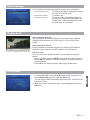
1. Information
Displays the system information: MODEL name, S/W, H/W, Loader version.
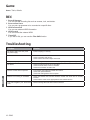
2. Factory Reset
Use this option only if you have to start the complete installation procedure from scratch.
If you continue from here, all your previous settings and all channels will be cleared!
The default data will be loaded.
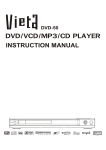
3. USB Connection
1. Disconnect the power plug.
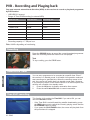
2. You can upgrade the product software or record by connecting External USB storage devices.
3. Connect the power plug of the receiver to an outlet.
4. Turn on the STB.
Playing back Files (MP3/Image)
You can listen to MP3 music or see the image files by sliding type through USB connection.
Save MP3 and image files into USB from your PC.
1.
2.
3.
4.
5.
6.
7.
8.
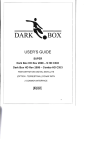
Press the MENU button.
Go to Tools in Menu.
Select USB.
Press ▲/▼ buttons to select the desired folder (MP3 or Image).
RED button sorts all the MP3 files.
GREEN button sorts all the image files.
YELLOW button sorts all the S/W files.
BLUE Button sorts all the other software upgrade option files.
In the file list menu, press the YELLOW button to sort the S/W file.
Navigate to the desired software & pressing OK software upgrade will
begin.
ENG - 9
ENGLISH
Upgrade by USB