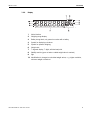
1
ITB-BA-e-0720
Settings in the menu
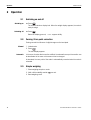
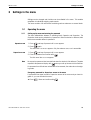
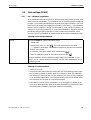
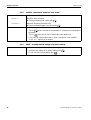
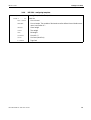
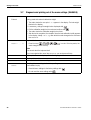
Return to weighing mode:
Press the
-key, "END" will appear on the display
Press the
-key, order to save the alterations. "Save" will appear on the display.
Press
3.3.2
-key. to confirm. Following this the balance will return to weighing mode.
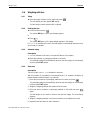
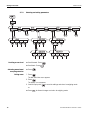
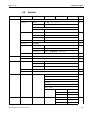
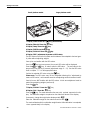
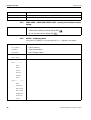
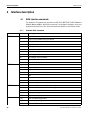
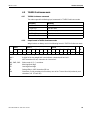
DISPLAY – weighing unit and display accuracy
UNIt1
Select weighing unit 1: g, kg, oz, lb, t
UNIt2
Select weighing unit 2: g, kg, oz, lb, t
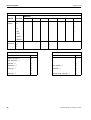
rESOLU
Select readability (resolution), model-dependent
UNt.rOLL
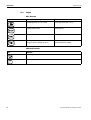
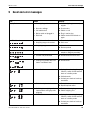
When UNT.rOLL is switched on, the weight value can be displayed in all available
units with
.
Notes
• On certified scales, the weighing units oz and lb are displayed with the symbol *.
• On certified scales, resolutions that deviate from the scale definition are displayed
without a weighing unit and with the symbol *.
• On dual-range/dual interval scales, resolutions marked with |<–> 1/2| are
divided up into 2 weighing ranges / intervals, e.g. 2 x 3000 d.
3.3.3
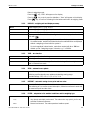
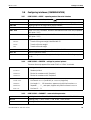
TARE – tare function
A-tArE
Switching on/off automatic taring
CHAIn.tr
Switching on/off chain tare
A.CL-tr
Switching on/off automatic taring with automatic clearing of the tare weight when the
load is removed from scale
3.3.4
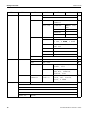
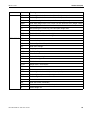
ZERO – automatic zero update
On certified scales, this menu item does not appear.
AZM
Switching on/off automatic zero update and selecting zeroing range.
Possible settings: OFF; 0.5 d; 1 d; 2 d; 5 d; 10 d
3.3.5
When the Restart function is activated, the last zero point and tare value are saved.
After switching off / on or after a power interruption, the device continues to work with
the saved zero point and tare value.
ON/OFF
3.3.6
VIbrAt
LOW
RESTART – automatic saving of zero point and tare value
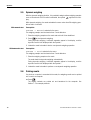
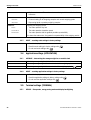
FILTER – adaptation to the ambient conditions and the weighing type
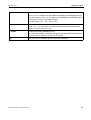
Adaptation to the ambient conditions
• Very steady and stable environment. The scale works very quickly, but is very
sensitive to external influences.
MEd
• Normal environment. The scale operates at medium speed.
User manual ME-Nr. 22017071 01/07
21