1
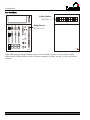
5 Operation Meter The meters are multifunction LED. They show typical VU levels as well as peaks. The meter in the Control Module indicates Monitor level. For Remora 10 and larger consoles, the meter on the REM-6 Fader Expansion Module farthest to the left will always display Program. This is a fixed selection and cannot be adjusted. On Remora 16 and 22 units, the Meters for the center REM-6 Fader Expansion Module/s will not display meter data. This is by design. The Meter LEDs are in a four color arrangement as follows: Green Yellow Orange Red -35 to -1 dB (normal VU operating range) 0 dB (reference point) +1 to +3 dB (VU warning range) +4 to +16 dB (normal range for peaks) The digital output zero VU corresponds to -20 dBFS and cannot be changed. TIP: In Version 3.x of the Audio Engine, you can override the Monitor meter in the REM-4 Control Module. This will make it display something other than what is selected in the monitors. To do this, simply route something to Monitor Meter In (device2C on Port 1, device54 on Port 2, and device6a on Port 3) and turn on bus0 for that device (2C/54/6A). This is useful for studios with 4 fader Remoras that monitor air but wish to always have Program in the meters. Logitek Remora Reference Manual 19