1
14
Computer Programming with GNU Smalltalk
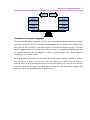
computer object and tell it (send it a message) to open your office suit and it opens. Maybe you can
create a human object before, who owns a computer object. Then you can send her a message to send
her computer a message to open her office suit. The detail level you create depends on the application
needs. Sometimes you may need to create a human sometimes you don't. We will mention more about
objects later.
For experienced programmers:
In contrast of other popular programming languages like C++ or Objective-C; Smalltalk does not allow you to
do procedural programming.
First Program
Now we are going to write our first program, in 2 ways. But before we start writing, you should make
sure you got the programming environment installed. If you have not installed it yet, you should now
and Appendix A will help you to do that.
Our first program will make computer display a text to the terminal (or command prompt in Windows
terminology). Now open up your terminal and type:
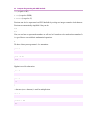
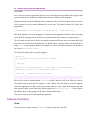
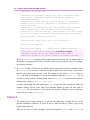
gst
GNU Smalltalk ready
st>
GNU Smalltalk interpreter is started and now waiting for commands to execute. This is called
interactive mode. Now we are ready to write our program. Type the code below and hit <Enter>:
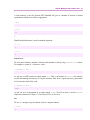
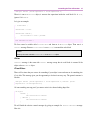
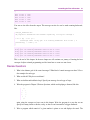
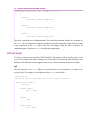
'Hello World!' printNl
'Hello World!'
'Hello World!'
Note:
If you are using an old version of GNU Smalltalk, you may need to append an exclamation mark at the end
of the code like: this: 'Hello World!' printNl!.
We strongly suggest that you get a newer version of GNU Smalltalk to be able to run all the examples on this
book.
As you can see from the output, the computer printed the string, 'Hello World!', two times to the
terminal, which might also be named as standard output in programming terminology. Now, we will
explain this code and why the computer printed the string two times rather than one time.
As we mentioned, everything in Smalltalk is an object and we communicate with them by sending