1
Pro Maintenance Tools User Manual
34
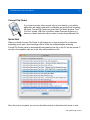
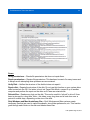
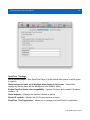
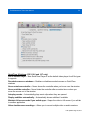
If you select the Remove Edits option, QT Repair will remove all edits that have been made
to the file and restore any media that has been trimmed, providing the media still resides
within the file. This is useful in situations where media has been accidentally or erroneously
trimmed.
The Renumber Tracks option makes sure that each track in the file has a unique track ID. If
they do not, QuickTime cannot differentiate between them.
Rebuilding
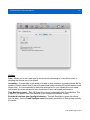
If a repair does not fix the problem, you may experience better results by rebuilding the file
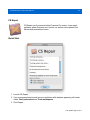
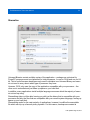
using data from another file. To do this, select the Rebuild option and click the Rebuild button.
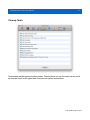
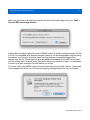
A new dialog will appear asking you to browse for a working file with the same encoding
settings. This could be a file captured by the same camera or exported with the same
settings. The working file must have the same video codec, frame rate, audio codec, audio
sample rate and the same number of video, audio and timecode tracks as the corrupt movie
clip.
Hit Rebuild and QT Repair will take the video and audio data from the corrupt file and insert it
into the working file to produce a new movie clip.
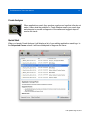
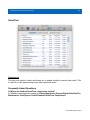
The default settings should work for most cases but if the rebuild does not work on the first
try, adjust the Advanced Settings options to skip some of the integrity checks QT Repair
performs, allowing you to fix particularly corrupt files.
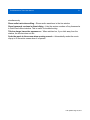
Selecting Ignore track counts no longer aborts the rebuild if the number of tracks in the
source and working files do not match. This can help if tracks have been split up or duplicated
as a result of corruption in the source file.
Last updated Aug 18, 2014