1
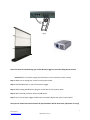
 Fig.3
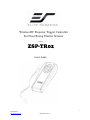
Note: Directions for synchronizing your 5‐12V Wireless Trigger to your Floor Rising Electric Screen. Version 2.0 (5‐12V wireless trigger and Elite electric screen must be the same version) Step 1: Make sure to unplug your screen from the power outlet. Step 2: Hold the UP button on your 5‐12V wireless trigger. Step 3: While holding the UP button, plug the screen back in to the power outlet. Step 4: Wait 5 seconds, and then release the UP button. Step 5: Your 5‐12V wireless trigger should now be activated. (Repeat the steps if unsuccessful) Once your RF remote has been activated, the synchronization will be saved even if the power is cut off. 3 Rev.042511‐AS www.elitescreens.com info@elitescreens.com