1
CHECKING POWER LEVELS
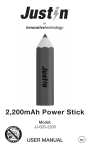
To show the battery status, press the Power Button. The
LED Indicator Lights will indicate the Power Stick’s power
level according to the diagram.
LED Power Levels:
When charging the Power
Stick, the LED Indicators will
FLASH according to the
current power level (i.e., at
40% charged, one LED will be
lit and the second will be
flashing). Once the Power
Stick is fully charged, the
LEDs will STOP FLASHING.
Completely Drained
1 - 25% Charge
26 - 50% Charge
51 - 75% Charge
76 - 100% Charge
LED Power Levels When
Charging the Power Stick:
1 - 25% Charged
26 - 50% Charged
51 - 75% Charged
To view the power level of the
76 - 99% Charged
Power Stick while an external
100% Charged
device is connected, press the
Power Button. The LEDs will light up and remain lit while
charging your device.
USE
Before first use, it is recommended to charge the Power
Stick via the USB Charging Port or the supplied USB
Extension Cable. The Power Stick will take approximately
4 hours to charge 0-100%.
1. Charging the Power Stick:
To Charge, plug the USB Charging Port into any USB
power device, such as a Computer, Laptop, or USB to
AC Adaptor. If needed, use the supplied USB
Extension Cable for easier access when charging.
While charging, the 4 blue LED Indicator Lights will
FLASH to show the power level. When the Power
Stick is fully charged, all 4 LEDs will stop flashing and
2