1
GETTING STARTED
INTRODUCTION
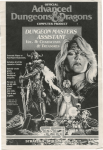
DUNGEON MASIBRS AsSISTANT, VOL. II:
CHARAcmRS AND TRMsURES, is a set
of utilities designed for use by
players and Dungeon Masters of
TSR'S ADVANCBD DUNGEONS&'.
DRAGONS® role playing game. This
program isn't a game in itself. You
must have the TSR AD&D® game
material to take advantage of this
program. This program is a utility
designed to enhance the enjoyment of the TSR paper products
and not to replace them.
DUNGEON MAsmRS Ass1sTANT, VoL. II
(DM Ass1sT II) is designed to speed
character creation by both the
player and the Dungeon Master
(DM). The program creates both
Player Characters (PCs) and NonPlayer Characters (NPCs). DM
Ass1sT II is also designed to speed
treasure generation by the DM.
By automating the creation of
both characters and treasure, DM
Ass1sT II is an invaluable aid for
making spur of the moment
encounters, for populating areas,
and for making detailed NPCs.
DM Ass1sT II generates characters
with character classes from the
AD&:D® l'I.AYBR.S lfAJYDBOOK, including
multi-class characters. The program also generates cavalier and
Barbarian class characters from
the AD&D® UNEAR.TlfED ARGVfA book.
DM ASSIST II also generates
detailed treasure lists and magic
items. The program generates
gems and jewelry (including size
and type), magic items of all
kinds, and treasure lists created
from the standard treasure types
found with an encounter. The program can also generate magic
items from UNEAR.11fED ARCANA.
Once DM Ass1sT II has created a
character or treasure list, you can
customize and record the results.
Both characters and treasure lists
can be edited, printed out. or
saved to disk for later use.
Avoiding Disaster
Before you use this program for
anything, you should make a
backup copy of your original disk
and put the original away in a safe
place. This way, should anything
happen to your copy of the program, you will be able to make
another one.
Apple II and Commodore 64 users
should use a commercial copy
program to back up their disks.
Commodore 64 & 128
Insert the program disk into the
disk drive and type WAD"*#,8
and press RETURN. When READY
appears, type RUN and press
RETURN. C-128 users must run
this program in C-64 mode.
by DM ASSIST II. Use the "format a
data disk* option on the main
menu to prepare a save disk
before you begin to seriously use
the program.
Documentation Check
The disk is not copy protected.
You may make backup copies of
the disk for your own personal
use. However, the program does
require documentation checks
to use.
When the documentation check
appears on screen. locate the indicated word in the manual. Type in
the the indicated word and press
RETURN/EN1ER. The program will
not run if you fail the documentation check more than once.
Note: You can. save your work to
any formatted-disk. Use the "format a data disk* option on the
main menu to prepare a save disk
before you begin to seriously use
the program.
Apple II Series
Insert the program disk into the
disk_drive and turn the computer
on.
Note: You can only save your work
to disks that have been formatted
1
2