1
8. Caution in use
1. Turn on the power switch.
2. Please contact your local agent for product maintenance when you have a
problem in use of CDV-70P
3. For your safety, power switch with a safety device must be used in your building.
4. Unplug before installing or repairing the product.
5. Unplug when you connect monitor with door cameras.
9. Miscellaneous
● Please carefully read this User's Guide before calling service man
After checking the entire check list, please contact customer service center.
We will do our best to make you satisfy with our services.
10. Specification
MODEL
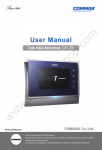
CDV-70P
Transmission way
Door camera 4wires (Polarity), interphone 4wires (polarity)
Power consumption
On stand-by : 3.5W
Monitor
7" TFT-DIGITAL LCD
Rating Voltage
Transmission way
Call sound
Display
Distance
100V-240V~, 50/60Hz (FREE VOLTAGE)
On talk: 15W
HANDS FREE (Voice switch circuit)
Door : Electronic chime (Sol Mi Do), interphone : Beep
Monitoring : 30 ±5sec , Talk : 60 ±5sec
Pie 0.5mm
28m
Working temperature 0 ~+40℃ (32℉ ~ 104℉)
Dimension
12
0.65mm
50m
243.0(W) X 168.0(H) X 30.0(D)
0.8mm
70m