1
Chapter 3
3-1
3-2
3-3
3-4
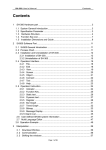
Operation methods of OP320 .....................................61
Online communication ........................................................................................... 61
Shift the screen....................................................................................................... 61
System’s password ................................................................................................. 62
Modify the data ...................................................................................................... 63
3-5 Switch value operating ......................................................... 64
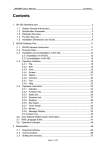
Chapter 4 New addition function of OP520 .................................................................... 66
4-1-2 Screen jump function............................................................................................. 68
4-1-3 Advanced function ................................................................................................. 69
4-2 Status indicate lamp .................................................................................................. 70
4-3 Application examples of global function key and button indicate lamp ........... 71
4-4 inside clock (optional)............................................................................................... 74
Chapter 5
Application examples of OP520..................................76
5-2 Analysis a project ...................................................................................................... 77
5-3 Make a screen............................................................................................................ 78
Chapter 6
OP320-S, OP320-A ......................................................93
OP320-S..............................................................................................93
OP320-A/OP320-A-S ........................................................................93
Chapter 7
7-1
7-2
7-3
7-4
7-5
7-6
7-7
7-8
7-9
7-10
7-11
PLC’s connection method ...........................................94
xinje FC series PLC ............................................................................................... 94
Mitsubishi FX series PLC ...................................................................................... 95
Siemens S7-200 series PLC ................................................................................... 96
Omron C series PLC .............................................................................................. 97
Koyo S series PLC ................................................................................................. 98
Schneider NEZA series PLC.................................................................................. 99
DELTA DVP series PLC ...................................................................................... 100
LG Master-K series PLC...................................................................................... 101
Matsushita FP series PLC .................................................................................... 102
FACON FB series PLC ...................................................................................... 103
Kenyence series PLC ......................................................................................... 105
第 2 页 共 2 页