1
Chapter One Overview
''
M I Dtandroid
"
1-1 Appeararce
Picture for reference only, Pleree subject to specific products.
Instruction
Please read the precautions
md importat tips in the instructions before use.
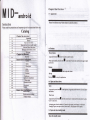
Catalog
f hontar
Ona
1-2
t-3
1{
1i
/nwawiaw\
ADHmce
l-
Chn
Buttons
upen md shut doM
and shut doM shndbv mode
Homepage Dlomaoon
Text innut
colum
ChaDt€r two (ltrowser,
2-1
13
-2 Buttons
Power buttotr
log
Browsg
ahahlcr thrac/ Annlinc#nne)
}I
p
|
labout
pras
the
bumn
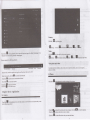
Wlen opm
the
able! shot
Set
Applrcalotr GExaIon
vld@
OUtpUl
smulatrotr
ume
Git
ffi
shh md
short prEss again
b
light
wrels ntuorh
uNpray setrmgs
up
rhis key
I
-
Longpress the
the inttrface.
semgs
to set up the applications
1-3 Open and shut down
Open
t;fi&fl
(-hrnfer fo[r msfrhli
+2
+3
smm.
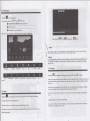
this to adjust the volume
CalculM
&7
&10
Ore
to mter the off
Volume
3-5
3{
Il
upthes@.
Gallery
vldeo player
3{
3{
2-3 smfuts to open
pes rlis
powmbumJ
onthe rightside,Ag
signadpicms will showupin
mudlb
Shut down
kng press the trDwqbutonli,
<sur* to shut down.
then the screen sbows< would you til,ie to shut
doM>, press
In charging sate, when the Ebld is oS pless the right uptEr "powq butun" it will shows
"charging" figue, once again to click "power buton", the equipmmt will be opened.
l-4 Open atrd close standby mode
Open the standby mod€