1
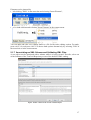
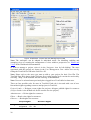
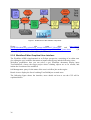
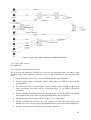
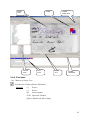
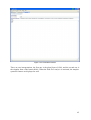
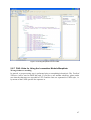
2.3.3 Background Information 2.3.3.1 GWES Workflow Engine7 We use the Grid Workflow Execution Service by Fraunhofer FIRST as the enactment engine in TextGrid. It is a webapp to be installed in a Servlet Conatiner such as Apache Tomcat. It accepts GridWorkflowDL documents that contain all information the engine needs, i.e. input data is also contained in a GridWorkflowDL document. The abstract formalism of GridWorkflowDL is High-Level Petri Nets, which is Turing-complete. Data is represented as structured tokens, and flows from places to transitions and from transitions to places. While a workflow is being executed, the GridWorkflowDL document is in permanent change, with data moving from one place over the transitions (which may be Web or Grid Services) to another. The workflow halts if there are no more enabled transitions, i.e. no transition that has all incoming places filled with at least one data token. The engine can be configured to hold workflows in memory for a certain amount of time, e.g. one day. Further persistence is facilitated by storing the workflows in a database afterwards. Natively the GWES works with XML databases such as eXist. Installation and configuration of the GWES is straightforward: download the gwes.war from FIRST (and optionally exist.war from its download site), move it into the webapp/ folder of a running Tomcat and let Tomcat unpack it. Afterwards, edit webapps/gwes/WEBINF/classes/gwes.properties, mainly for timeout configuration, and conf/tomcat-users.xml to specify the user(s) that are allowed to login to the monitoring site. 2.3.3.2 Monitoring Interface As soon as the GWES is installed, it is possible to query a number of things using its web interface. However, it must be made sure to protect these pages from unauthorized use, e.g. by setting a user/password combination in tomcat-users.xml, or by other means. Then it is possible to find the interface at http://host:port/gwes/servlet/GWESOverviewServlet. Here you can upload new workflow documents (in GridWorkflowDL format); get a list of all workflows currently in memory or database; see the details of a specific workflow with statistical and status information (warnings and errors that led to unsuccessful termination of the workflow will appear here); see a graph of the workflow, even animated when it is executing (c.f. figure 2 below) test if the GWES is alive and get documentation. Furthermore, there are the Tomcat logs where GWES will log its messages, too. Depending on the settings in webapps/gwes/WEB-INF/classes/log4j.properties (e.g. set log4j.logger.net.kwfgrid.gwes.wsactivity to DEBUG for debug logging of Web Service jobs) one can find useful debugging information when something did not work as expected. See the file logs/catalina.out in Tomcat's installation folder. 7 http://www.gridworkflow.org/kwfgrid/gwes/docs/, see also Andreas Hoheisel: Grid Workflow Execution Service – Dynamic and Interactive Execution and Visualization of Distributed Workflows. In Proceedings of the Cracow Grid Workshop 2006, Cracow, 2007, http://www.first.fraunhofer.de/owx_medien/pdf/3462_hohe2007.pdf 40