1
Table of Contents
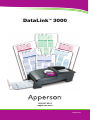
About the DataLink 3000 Scanner ...................................................... 1
About the DataLink Connect Software ................................................. 1
Quick Start - Setting Up Your Scanner................................................. 2
Installing the Ink Cartridges................................................ 2
Installing DataLink Connect on your Computer.................................... 3
Test Scoring and Reporting Using DataLink Connect .......................... 4
Data Collection and Exporting Using DataLink Connect ..................... 5
Additional DataLink Connect Features................................................ 5
Test Scoring in Stand-Alone Mode....................................................... 6
How To.................................................................................................. 7
Prepare A Key.................................................................... 8
Calibrate Your Scanner...................................................... 9
Clean Your Scanner........................................................... 9
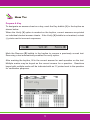
Summary Display............................................................... 9
Troubleshooting.................................................................................... 9
Your answer sheets are not feeding into the scanner...... 10
Inconsistent scoring or marks are not detected................ 11
Poor Print Quality............................................................. 11
Ordering Supplies................................................................................12
FCC Compliance.................................................................................12
Industry Canada Regulations.............................................................12