1
2
TABLE OF CONTENTS
Contents
ENGLISH
ENG
3
ASSEMBLING AND PREPARING
24 SPECIFICATIONS
3
Unpacking
24
22EN33S
4
Parts and buttons
25
Preset Modes (Resolution)
5
Setting up the Monitor set
25
Indicator
5
- Attaching the Stand Base
5
- Detaching the Stand Base
6
- Mounting on a table
6
- Using the cable holder
8
- Mounting on a wall
9
USING THE MONITOR SET
9
Connecting to a PC
9
- D-SUB connection
11
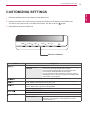
CUSTOMIZING SETTINGS
12
Customizing Settings
12
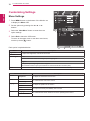
- Menu Settings
13
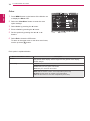
-Picture
14
-Color
15
-Display
16
-Others
17
MY KEY Setting
18
FUNC. Setting
18
-Picture Mode
19
-SUPER ENERGY SAVING
20
-DUAL DISPLAY
20
-DUAL WEB
21
-MY KEY Setting
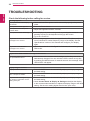
22 TROUBLESHOOTING
26 Proper posture
26
Proper posture for using the Monitor set.