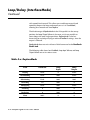
1
Loop/Delay (InterfaceMode)
Continued
F L I P M O D E ( L O O P / D E L AY = F L I )
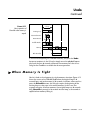
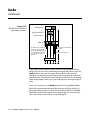
FlipMode is an unusual and interesting InterfaceMode, in that the pedal
controls both Loop Input Volume and Feedback simultaneously. The
interesting thing is that Feedback on the pedal is reversed! When the
pedal is all the way in the toe-up position, the Loop Input level is zero
and the feedback is at 100%. When the pedal is all the way in the toedown position, the loop input is at 100%, but the feedback goes to 0.
In use this is like a Hold pedal, but with a more fluid action. You can also
think of the pedal as a “soft replace” since operating the pedal lets you
smoothly crossfade a replacement section into your loop.
USING FLIPMODE
To get the hang of FlipMode, use loops of about 1 second, keep the pedal
in the toe-up position most of the time, and turn the front panel
FeedBack Knob to zero. Set the loop time with a couple presses of
Record, and experiment with the pedal as you play new material.
To record an ordinary loop in FlipMode, put the pedal in the toe-down
position and end Record with Overdub.
In Overdub the Feedback is taken from the front panel FeedBack Knob
(which also operates in reverse!), so once you've made an interesting
loop by crossfading in Play, you can keep it by pressing Overdub. You
can then Overdub onto it using the pedal to control the Loop Input
Volume.
By setting the front panel FeedBack Knob you can make the Overdub
state into a simple delay, which can be used as a contrast to the unusual
crossfade effect.
Other functions interact with FlipMode as follows.
Reference - Parameters 4-25