1
ware; then the kid in you gets to make saucy pictures in Logo. Unfortunately, you can’t play until
you’re done, so get designing, get hacking, and get done.
“It’s based on a simple concept, yet the possibilities are limitless!”
Logo is a computer programming language designed for use by learners (in fact, it is used
in CS4 for the first programming assignment). The user-friendly, interpreted language based on
LISP was designed with the “low floor, high ceiling” principle in mind; that is, the designers of
Logo intended for the language to allow novice programmers to get started quickly with writing
programs but also wanted the language to be powerful and extensive for more advanced users.
In the early days, Logo was used to control a simple robot, called a turtle. Users could
issue commands such as FORWARD 50 to make the turtle advance 50 steps, or RIGHT 90 to
make it turn ninety degrees. The turtle robot carried a pen, so users could produce drawings on
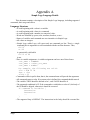
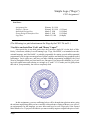
paper, such as the one on the previous page, by controlling the turtle and its pen. The turtle, which
has since moved on screen, has become one of the most familiar and important parts of the Logo
language. Children who were using the computer for the first time could relate to “talking to the
turtle” and could imagine how the turtle moved by “playing turtle,” moving their bodies as the
turtle would. The turtle also makes learning basic programming concepts easier and more engaging because it provides immediate feedback.
As a dialect of LISP, Logo is a complex and powerful language. For this project you will
design and implement a much simplified version of Logo. Simple Logo should retain the features
most commonly used by beginning users so that it can be used to provide an introduction to computer programming.
“Terrific! What do I need to start?”
First of all, you need a partner. Then you need to decide who is going to work on which
component of this assignment. Only one member of the group will get credit for doing the GUI
part. The person that did not get credit for GUI will need to do the graphics component of the
next assignment. That way everyone will have an opportunity to hack some GUI code before the
final project.
You need to decide who you will be working with by Saturday, February 28th and sign up
on the sheet outside the TA room. Once you do this, we will create a unix group that both members of your group are in so that you can restrict access to your files.
“The Making Logo Quick Package”
Simple Logo will consist of a basic turtle graphics package and support for a set of commands allowing the user to control the turtle and the pen using basic programming constructs such
as loops and subroutines. When the Simple Logo user launches the interpreter from the command line, it should bring up a turtle shell and a turtle graphics window. The interpreter will need
to receive, parse, and execute commands from the user, reporting any errors it encounters along
the way.
Simple Logo should provide functionality in the following areas:
• Basic turtle graphics: Slogo users should be able to control the turtle by moving it
forwards, backwards, changing its heading, and showing/hiding the turtle. Drawing
capabilities should be provided by pen manipulation. The user should also be able to
make turtle motion and pen queries.
Slogo
2