1
ComicBase 11 User Guide
Advanced ComicBase
Advanced ComicBase
Modifying Issue variations
The variations dropdown menu in the Issue Detail is set up for most types
of issue variations, including gold, platinum, and silver editions, special
covers, special sets and editions, such as a collector’s set or a deluxe
edition. In general, ComicBase will only assign alphabetical names to
variant issues of a comic, such as “1/A,” “1/B.” “1/C,” etc., but you can use
any of the variant names available to specify your own comics.
The following will show you how to add, change, or remove items from the
list of issue variations.
Adding an issue variation
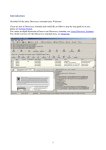
1. Under the Setup menu, select Issue Variations.
2. In the Issue Variations Setup box, click New.
3. Type the name of the new issue variation into the Issue Variation
field.
4. Move to the Abbreviation field and type in an abbreviation, up
to four characters long, for the issue variation. This will appear
next to the issue number in the Issues dialog.
5. Click Save to save the new issue variation. It will be available in
the Variation dropdown menu in the Issue Detail dialog.
To change the name or abbreviation for an issue variation, select it in
the list and change the name or abbreviation in the Issue Variation and
Abbreviation text boxes. Click Save. The new name and/or abbreviation
will appear in the Variations dropdown menu, but will not change the
previous abbreviation used for comics already indexed in ComicBase.
Modifying Comic types
42