1
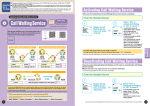
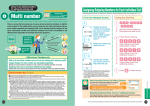
Changing Your Forwarding Number
When you first subscribe to Call Forwarding Service, this service is deactivated.
Change a forwarding number that you have already registered.
From the Handset Screen
Using the Dial Pad
1
Call forwarding
Activate
Deactivate
Register number
If FWD number busy
Check setting
Display the Call
Forwarding menu,
and select
"Register number".
Activating Call Forwarding Service
The procedure for changing this
number is the same as that
described in "Registering
Forwarding Numbers" (Using the
Dial Pad) on p. 3.
Change the forwarding number hearing
the announcement.
2
From the Handset Screen
Using the Dial Pad
1
1
Call forwarding
Activate
Deactivate
Register number
If FWD number busy
Check setting
Forwarding number?
XXXXXXXXXX
Set
How do I set a foreign
phone number as the
forwarding number?
Use the dial pad.
Change No.
Change No. +Activate
A confirmation screen
will appear. To change the
forwarding number only,
select "Change No.".
International carrier access code
(Example: 009130)
010
YES
NO
Country code
Area code
Call forwarding
number registered
*For forwarding calls overseas, subscriptions for
The results of your
setting appear.
DOCOMO International Call Forwarding Service and
DOCOMO Call Forwarding Service are both required.
Note that a contract with DOCOMO WORLD CALL or an
international carrier is also required.
In
* some cases when setting the forwarding number while
using WORLD CALL, input of the above number series
"009130" can be omitted (except with certain handsets).
*Dialing procedures may vary with the international
telephone service used. For details, ask your
international telephone carrier.
*If you are not subscribed to the Voice Mail Service,
proceed to Step 3 .
Select "YES"
to activate
Call Forwarding
Service, or "NO"
to deactivate it.
A confirmation screen
will appear. To activate Call
Forwarding Service,
select "YES."
2
Press
1
or
0
Announcement
"Operation completed."
3
Press
to finish.
4
Number you wish to forward to
4
1
【For subscribers of both
Call Forwarding and Voice Mail
Services】
"To use the Voice Mail Service
when the forwarding number is busy,
press 1 .To not use the Voice Mail
Service, press 0 ."
Select "Activate."
Call forwarding
Activate?
2
Call Forwarding
Service
Call Forwarding
Service
3
4
"Calls will be forwarded to the
following number XXX-XXXX-XXXX."
Register fwd number
Set ring time
Activate
3
Input Example
Select whether to
change the
forwarding number
only, or change the
forwarding number
and activate Call
Forwarding Service.
1
Announcement
2
One-Point
Advice
Enter the forwarding
phone number,
and select "Set."
Display the Call
Forwarding menu,
and select
"Activate."
Press
Call forwarding
activated
The results of your
setting appear.
If your setting is successful,
"Call forwarding activated"
will be displayed.
This completes the setting.
*You can make calls even with the Call Forwarding Service activated.
*If your phone is turned on and you are inside the service area, the ring tone continues to sound until the call is forwarded to the forwarding number,
so calls can be received in the meantime.
*For instructions to "Activate" or "Deactivate" the Call Forwarding Service for an additional number under the Multi number service, refer to the Usage
and Setting Procedures for the Multi number on the DOCOMO website (in Japanese only).
4
●
The set up procedure may differ depending on the handset. See the user's manual of your handset for details. ● Actual screen may be different.
5