1
■
Getting started
Pedal serial and software
version information
Your sound:
There’s a template for that!
■
■
■
■
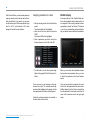
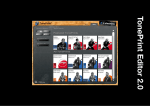
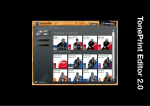
These templates allow you to load a base TonePrint and customize it instead of starting with a
blank slate. These templates are great for sketching out quick ideas, infusing your own concepts,
tweaks and preferences. If you are new to effects
and sound design, they will also give you an idea
of how a typical effect is set up.
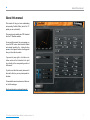
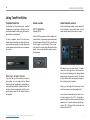
When a TonePrint-enabled pedal is connected to
your computer and you click the small “i” icon in
the lower left corner of the TonePrint Editor window, a dialog box will show the following information:
Device serial number
Device firmware build number
TonePrint Editor software version number
TonePrint Editor software build number.
We know: Going from a handful of knobs on a
pedal to a screen full of sliders can be a bit tricky,
and you may be intimidated by the idea of creating a TonePrint from scratch. This is why we have
provided you with Template TonePrints.
Finally, if you got a bit overexcited and you find
that you are stuck with a TonePrint that just
doesn’t sound or work as it should, a Template
TonePrint can be your get-out-of-jail-free card.
TC Electronic TonePrint Editor
■
Manual for software version 1.0
5