1
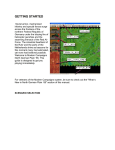
Zoom the zoom window – Click the middle mouse button somewhere in the game-play or world windows: this
defines the zoom window’s center. Now, with the middle mouse button still held down, drag the mouse away from
the point where the button was clicked to increase the size of the zoom window.
Finally, there are several key controls that should be noted on the game screen:
Start button – This starts the game from a halted or reset state.
Pause button – This pauses the game when it is active. Pressing it again returns the game to play.
Reset button – this resets the game to its default, starting conditions.
Quit button – this ends the game.
Fire Cannon button (in the Main Turret Guns section) – This fires the tank’s main cannon.
Fire M.G. button (in the Main Turret Guns section) – This fires the tank’s turreted machine gun.
Prev Ammo button – This switches to the previous ammunition type.
Next Ammo button – This switches to the next ammunition type.
Fire Cannon button (in the Fore Guns section) – This fires the tank’s fore cannon.
Fire M.G. button (in the Fore Guns section) – This fire’s the tank’s fore machine gun.
Fire Nova Rocket – This fires one of the tank’s nova rockets.
Main Classes and Processes:
The main classes for the Buggy Bomber game, with brief descriptions, are as follows:
Class TmyGame: This is the main class of the game, providing the functionality which ties the entire game
together. It contains all the variables necessary for keeping track of game variables such as elapsed time, score,
ammunition counts and selection, etc. as well as the various linked lists containing the different types of objects such as the
ground, sky, player tank, enemies, and projectiles. It contains many dedicated functions for creating the various game
objects, providing them with movement, and checking for collisions when appropriate. It has also been rewritten to draw
three different game windows (game-play, world, and zoom), and resize them so that they always fit on screen in a
consistent manner. This is also the class responsible for providing feedback to the game’s GUI, updating it to be consistent
with the game’s interior model.
The TmyGame class also maintains the game’s various states: Active, Paused, and Halted. It performs different
actions depending on which game state it is in (i.e. not allowing for tank movement when the game is paused). The class is
also responsible for forwarding its game state to all the appropriate objects contained within its linked lists so that they can
respond accurately for the game’s current condition.
Class Tank: This class creates and manipulates a tank object. The tank object is composed of several main parts:
the body, the fore cannon, the fore machinegun, the rear hatch, the turret, the main gun assembly, the wheels, the rockets,