1
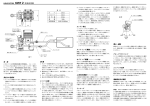
Everyday use Beo4, Beo5, Beo6, Beoone
OK
OO
Playback & Recording
o
o0
W*2 *1
R*2 *1
Q*2
E*2
P+
PEPG
Back
m
Setup
o1
o2
o3
TV-Radio
Media
List
q
oS
Pause
Rewind
Forward
rr
Record
oq
oA
Other operations
o1
o2
Exit
e
o3
o4
*1 It is possible to exchange the up/ down arrow the functions with
the blue and yellow buttons. This is done with an option, refer to the
installation pages.
Play press 1 second.
Alternative play.
Stop
w
o9
oE
info
Ticket
Planner
Help/ Options
Power off
Power manual
Internal Text TV
*2 As the direct function of the coloured buttons on the Beolink
remote control has been reassigned to other functions, Ohas to be
pressed before these buttons, to get to the colour function.
oE
oQ
oW
oR
Red function
Green Function
Yellow function
Blue function
Operating using a Beolink 1000 or other old remote controllers.
Older remote controls do not have coloured buttons, and use is
not logical.
As Beolink 1000 has no coloured buttons the
Zapmode option needs to be set, to make the
the up/ down arrows serve as P+ and P-.
See page 6 about option programming.
The P button on older Bang & Olufsen remote controls
does the exact same operation as theObutton on never
remote controls.
www.oneremote.dk
g
x
pg
Back
Exit
Guide
phZ
phX
phC
phV
Green function
Yellow function
Blue function
Red function
Page 1