1
CHAPTER 1 – INTRODUCTION
1.1 Welcome
Thank you for choosing Waves! In order to get the most out of your Waves processor,
please take the time to read through this manual.
In conjunction, we also suggest that you become familiar with www.wavesupport.net.
There you will find an extensive Answer Base, the latest Tech Specs, detailed
Installation guides, new Software Updates, and current information on Authorization
and Registration.
By signing up at www.wavesupport.net, you will receive personalized information on
your registered products, reminders when updates are available, and information on
your authorization status.
1.2 Product Overview
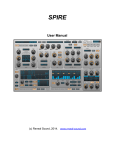
Waves Element is a virtual analog subtractive polyphonic synthesizer, designed to
provide fat analog sound in the tradition of the classic analog synths, with the control and
flexibility of modern digital units. Element’s control panel combines tradition with intuitive
interaction, so you can easily customize existing presets, or build custom patches from
the ground up. Special care and attention has been given to Element’s sound quality, in
order to recreate the fatness and depth of its analog ancestors.
Drawing inspiration from the classics, Element lets you create seemingly complex
sounds using very simple settings, and then add “bells and whistles” using its built-in
modulators, effects and sequencer/arpeggiator. All Element parameters are accessible
via a single page interface, conveniently laid out so you can see the entire patch at all
times. Fully MIDI controllable, with easy-to-use MIDI Learn for all controls, Element is
designed for quick integration with any connected MIDI control device, and can be used
as either a plugin within your DAW host, or as a standalone application.
Waves Element
User Guide
3