1
Contents
Contents
1
2
2.1
3
3.1
3.2
3.3
4
4.1
5
6
6.1
6.2
6.3
6.4
Introduction
Getting Started
Quick Start
Overview
About HDMI
Defining EDID
Recommendations for Best Performance
Your VM-24HDMI 2 Input 1:4 HDMI Distributor
Using the IR Transmitter
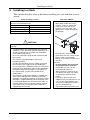
Installing in a Rack
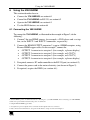
Using the VM-24HDMI
Connecting the VM-24HDMI
Controlling via RS-232 (for example, using a PC)
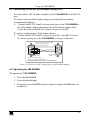
Operating the VM-24HDMI
Using the EDID Buttons
1
1
2
3
3
4
5
5
7
8
9
9
11
11
12
6.4.1
6.4.2
6.4.3
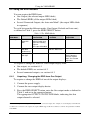
Acquiring / Changing the EDID from One Output
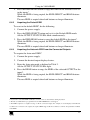
Acquiring the Default EDID
Acquiring the Auto-mix EDID from the Connected Outputs
12
13
13
7
8
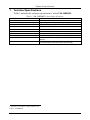
Technical Specifications
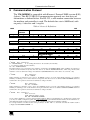
Communication Protocol
14
15
Figures
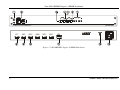
Figure 1: VM-24HDMI 2 Input 1:4 HDMI Distributor
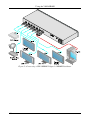
Figure 2: Connecting a VM-24HDMI 2 Input 1:4 HDMI Distributor
Figure 3: Connecting a PC without using a Null-modem Adapter
6
10
11
Tables
Table 1: VM-24HDMI 2 Input 1:4 HDMI Distributor Features
Table 2: The EDID Modes
Table 3: VM-24HDMI Technical Specifications
Table 4: Protocol Definitions
Table 5: Instruction Codes for Protocol 2000
7
12
14
15
16
i