1
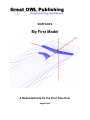
SURFACES – My First Model
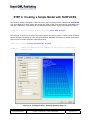
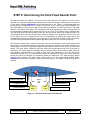
Abbreviations ................................................................................................................ 3 INTRODUCTION ............................................................................................................. 4 STEP 1: Download and Extract SURFACES Installation Files .................................. 5 STEP 2: Install SURFACES ......................................................................................... 11 STEP 3: Start SURFACES for the First Time ............................................................. 15 STEP 4: Creating a Simple Model with SURFACES ................................................. 20 STEP 5: Weight and Balance ...................................................................................... 34 STEP 6: Determining the Stick Fixed Neutral Point ................................................. 41 STEP 7: Trimming the Model for a Level Flight ........................................................ 45 STEP 8: Determine Static and Dynamic Stability Derivatives ................................. 51 STEP 9: Setting up Drag Modeling ............................................................................ 56 Document
Title
Page Numbers
VLMmyfirstmodel.docx
Surfaces – User Manual – Vortex-Lattice Module
Page 2 of 70