1
Edge Products ______________________________________GM Juice-Attitude CS/CTS
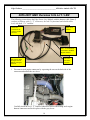
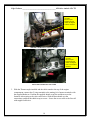
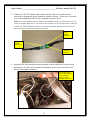
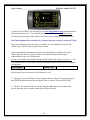
3. Connect the CS/CTS Attitude cable connector to the Edge Juice module harness
connector by snapping the green connectors together as shown. Secure any excess cable
to prevent entanglement with moving components under the hood.
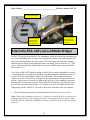
Note: If the Juice module had previously been installed with the 3- position power level
switch or another Edge device, the switch cable will have to be disconnected or removed
to allow the CS/CTS Attitude cable to be installed. Carefully lift the latch on the Juice
connector side to allow the connector to release.
Juice
Attitude
Connector
Attitude
Connector
Lift latch to
disconnect
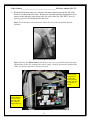
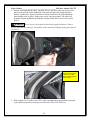
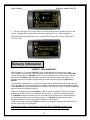
4. Route the EAS cable through the main grommet or other suitable hole in the firewall,
and into the cab of the vehicle (under the dashboard). Secure any excess cable to the
firewall with supplied nylon ties.
Run the EAS cable
with the 6-pin CS/CTS
device connector
through a rubber
grommet into the cab.
21