1
Free SCSI Utilities
Everybody and his dog is upgrading what
was once a hideously expensive part of the
Macintosh computer---the SCSI hard drive.
The new versions of the high-power publishing and graphics applications are so
huge compared to the previous versions that it has become normal for
new Macs to ship with up to 30 Gig
hard drives installed. With video files
and movie clips manipulated and
saved as documents even 30 Gigs will
soon be considered small. The pricing
of the new big drives is ridiculously
low compared to the prices of a few
years ago. For example...my venerable
Quadra 950 has an Elite WREN
Seagate SCSI hard drive, about 2.1
GIGs unformatted, that cost MORE
seven or eight years ago when it was
new than you would pay now for a
complete new G4 CPU with a ten
Gigabyte drive installed in it !!! In 1986
Apple offered its customers a 20 Meg hard
drive for the princely sum of $1500.00
American.
What this means to the cheapskates among us
is that there are suddenly more second-hand
SCSI-2 hard drives sized from 500 Meg to several gigs available from private individuals
and from auctions like eBay. Those of us with
older Macs, (like the Compacts, the Mac II
family, Performas, Centris and Quadras) can
take advantage of these cheap second-hand
drives and the smaller versions of programs
that we run on them under various System 7
and OS8.X can benefit greatly from the speed
boost and extra room realised when we put in
a relatively modern bigger drive. Some of my
favourite Mac models originally shipped with
one measly 80, 160 or 230 Megabyte SCSI
Apple hard drive but they have all
been upgraded since to at least 500
Megs. My Quadra 840AV has internal
bays in it for two SCSI drives and my
Quadra 950 can accept up to five SCSI
drives inside and more on the external SCSI bus.
An unfortunate repercussion of
upgrading the hard drive with a second-hand SCSI drive is that most versions of Apple's Hard Drive Setup
program will not work on many Mac
models if the hard drive is not an
original Mac hard drive so you may
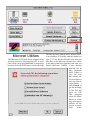
need to resort to a third-party program to set up your new SCSI drive.
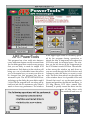
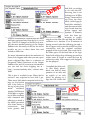
There are many excellent commercial
hard drive utility programs like FWB
Hard Disk Toolkit and SilverLining that will
enable you to partition, erase, initialise or
reformat your non-Apple SCSI drives to work
with your Mac but there are actually a couple
of FREE utilities that will do the trick cheaply
and effectively.
All of these utilities are available as free
downloads from somewhere on the internet
and you should be able to find them by doing
a search with any browser.
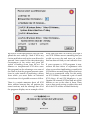
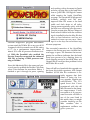
The warning in the box below is to be taken
s e r i o u s l y.
Although
these
programs are very
user-friendly and
give
warnings
before proceeding
with most irreversible
operations it is still possible to make a ter-