1
Contents
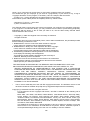
Introduction.......................................................................................................................... 4
Target Audience and Purpose .............................................................................................................. 4
Document Structure .............................................................................................................................. 4
DeploymentManager Manual Organization .......................................................................................... 4
Documentation Guidelines .................................................................................................................... 5
1.
Before Installing DPM ................................................................................................... 7
1.1.
1.2.
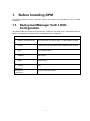
DeploymentManager Ver6.1 DVD Configuration ..................................................................... 7
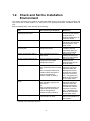
Check and Set the Installation Environment ............................................................................ 8
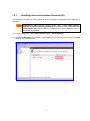
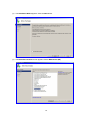
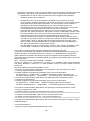
1.2.1.Installing Internet Information Services (IIS) ............................................................................................. 9
1.2.2.Setting Up the DHCP Server .................................................................................................................... 14
2.
Installing DPM ............................................................................................................... 16
2.1.
Installing the DPM Server ........................................................................................................ 16
2.1.1.Installing the DPM Server by Standard Installation................................................................................... 19
2.1.2.Installing the DPM Server by Custom Installation ..................................................................................... 29
2.2.
Installing the DPM Client .......................................................................................................... 31
2.2.1.Installing the Windows (x86/x64) Version ................................................................................................. 32
2.2.2.Installing the Linux (x86/x64) Version ....................................................................................................... 35
2.3.
Installing Image Builder (Remote Console) ............................................................................. 38
2.3.1.Installing Image Builder (Remote Console) by Standard Installation ........................................................ 38
2.3.2.Installing Image Builder (Remote Console) by Custom Installation .......................................................... 42
2.4.
2.5.
Installing DPM Command Line ................................................................................................ 44
Installing PackageDescriber .................................................................................................... 47
2.5.1.Installing PackageDescriber by Standard Installation ............................................................................... 47
2.5.2.Installing PackageDescriber by Custom Installation ................................................................................. 52
3.
Upgrading DPM ............................................................................................................. 54
3.1.
Before Upgrading DPM ............................................................................................................ 54
3.1.1.Upgrading Precautions ............................................................................................................................. 54
3.2.
3.3.
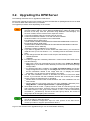
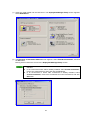
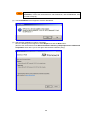
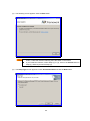
Upgrading the DPM Server ...................................................................................................... 56
Upgrading the DPM Client ....................................................................................................... 63
3.3.1.Automatically Upgrading the DPM Client.................................................................................................. 63
3.3.2.Manually Upgrading the DPM Client......................................................................................................... 65
3.4.
3.5.
3.6.
4.
Upgrade install of Image Builder (Remote Console) ............................................................... 68
Upgrading DPM Command Line .............................................................................................. 72
Upgrading PackageDescriber .................................................................................................. 75
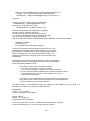
Uninstalling DPM .......................................................................................................... 78
4.1.
Before Uninstalling DPM .......................................................................................................... 78
4.1.1.Uninstall Precautions ................................................................................................................................ 78
4.2.
4.3.
Uninstalling the DPM Server .................................................................................................... 78
Uninstalling the DPM Client ..................................................................................................... 80
4.3.1.Uninstalling the Windows (x86/x64) Version ............................................................................................ 80
4.3.2.Uninstalling the Linux (x86/x64) Version .................................................................................................. 82
4.4.
4.5.
4.6.
5.
Uninstalling Image Builder (Remote Console) ......................................................................... 84
Uninstalling DPM Command Line ............................................................................................ 85
Uninstalling PackageDescriber ................................................................................................ 87
Preparing for DeploymentManager Operation ............................................................ 90
5.1.
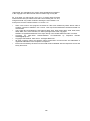
Preparing for DPM Operation .................................................................................................. 90
5.1.1.Starting the Web Console......................................................................................................................... 90
5.1.2.Logging into DPM ..................................................................................................................................... 91
5.1.3.Setting up Login Users ............................................................................................................................. 92
5.1.4.Registering the License Key ..................................................................................................................... 93
Appendix A
Silent Installation ......................................................................................... 95
2