1
User Guide
Grade Assignments
21
Grade Assignments
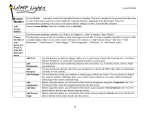
On the homepage, click the Assignments > Grade/Edit/Link to Activities to view a list of activity sets that you have
assigned. Click the Grade icon to assign grades to one of your assignments. This will take you to the grading interface.
In the grading interface, you will see a list of students who have been assigned the activity set you selected.
You can grade individual lessons within the activity set, or choose to grade the entire assignment as a whole. Note the
expected answer on the right side. Many activities will provide possible answers to short answer and essay questions.