1
GP-S044
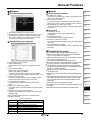
Dimensions
(unit : mm)
135
● Panel cut-out
4
Min. 100
145
66 +- 00.5
Min. 170
34
+0.5
136 -0
※Panel thickness : Max. 4mm
M4 BOLT
12
9
65
83
75
● Fixing bracket
21.7
Part description
LCD screen
Fixing bracket
Battery case
※1: Communication port
Model
Power
terminal
block
Communication
port A※1
Communication
port B※1
Communication
port Port A
Port B
GP-S044-S1D0
RS422
RS232C
GP-S044-S1D1
RS232C-A
RS232C-B
※For more information, refer to R-31 page and
' Serial interface' of GP/LP common features.
Installation
1. Set a rubber waterproof ring after placing the ring's joining part under the GP-S044.
2. Adhere closely between each edge of the GP-S044 and the rings.
3. Set GP-S044 in panel.
4. Set the fix bracket to 4 bracket slots and fix them with bracket's screws.
Upper
view
Mounting slot
for bracket
Rubber
waterproof
ring
Lower
view
Sold separately
● Mounting bracket
M4 Screw driver
Approx. 0.3N.m
Transmission cables connectable into external devices such as PLC are sold separately. (refer to the R-32 page for "GP/
LP communication cable".)
R-12