1
CHAPTER 3. COMPILER USAGE
3.1.5
Configuration file
Not all options must be given on the compiler command line. The compiler can use a configuration
file which can contain the same options as on the command line. There can be only one commandline option on each line in the configuration file.
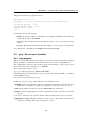
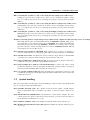
Unless you specify the -n (see page 24) option, the compiler will look for a configuration file fpc.cfg
in the following places:
• Under UNIX (such as LINUX)
1. The current directory.
2. Your home directory, it looks for .fpc.cfg.
3. The directory specified in the environment variable PPC_CONFIG_PATH, and if it is
not set, it will look in the etc directory above the compiler directory. (For instance, if the
compiler is in /usr/local/bin, it will look in /usr/local/etc)
4. The directory /etc.
• Under all other OSes:
1. The current directory.
2. If it is set, the directory specified in the environment variable PPC_CONFIG_PATH.
3. The directory where the compiler is.
Versions prior to version 1.0.6 of the compiler used a configuration file ppc386.cfg. This file is still
searched, but its usage is considered deprecated. For compatibility, fpc.cfg will be searched first,
and if not found, the file ppc386.cfg will be searched and used.
Remark: The searching for ppc386.cfg will be removed from the compiler in version 2.4.0. To indicate this,
the compiler gives a warning as of version 2.3.1 if it uses a ppc386.cfg configuration file.
3.1.6
About long filenames
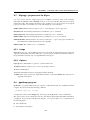
Free Pascal can handle long filenames on all platforms, except DOS. On Windows, it will use support
for long filenames if it is available (which is not always the case on older versions of Windows).
If no support for long filenames is present, it will truncate unit names to 8 characters.
It is not recommended to put units in directories that contain spaces in their names, since the external
GNU linker doesn’t understand such filenames.
3.2
Compiling a program
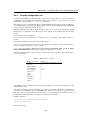
Compiling a program is very simple. Assuming that you have a program source in the file prog.pp,
you can compile this with the following command:
fpc [options] prog.pp
The square brackets [ ] indicate that what is between them is optional.
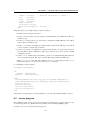
If your program file has the .pp or .pas extension, you can omit this on the command line, e.g. in
the previous example you could have typed:
fpc [options] prog
20