1
IGS User Manual
1
Getting Started
1. INTRODUCTION
Integrated Geometallurgical Simulator (IGS) is a comminution and flotation simulation tool for production
forecasting and circuit design. The simulation parameters are extracted from standard tests, Minnovex
Flotation Test (MFT) for flotation and SAG Power Index (SPI) for comminution.
2. SYSTEM REQUIREMENTS
Operating System: Windows XP Service pack 3
Windows Vista Service Pack 1
Windows 7
Software: Microsoft .NET Framework 4.0
Microsoft SQL Server 3.5 SP2 Compact Edition
3. INSTALLATION
Execute the installer file provided in the SGS USB key and follow the instructions. All required software,
Microsoft .NET Framework 4.0 and Microsoft SQL Server Compact Database, will be downloaded by the
installer.
Note: Administrative privileges are required to install Microsoft .NET Framework 4.0 and
Microsoft SQL Server Compact Edition.
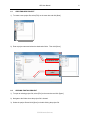
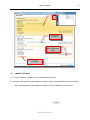
If you have not received a SGS USB key, the install file
can be downloaded from http://www.met.sgs.com.
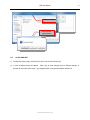
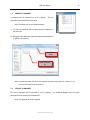
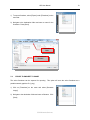
Place mouse over Applications and select Integrated
Geometallurgical Simulator. Click on the download link
and fill out the registration form.
4. UNINSTALLATION
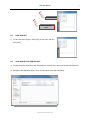
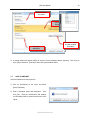
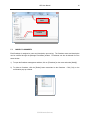
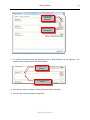
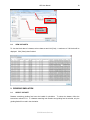
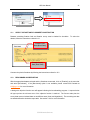
To uninstall IGS, open [Control Panel] via the start
menu under settings. Double click on [Add or Remove
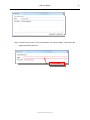
Programs]. Scroll down and select IGS. Click uninstall and follow the instructions.
SGS Minerals Services