1
CONTENT
Warning................................................................................................. 1
I.Brief Introduction.............................................................................. 3
II.Electrical Symbol ............................................................................ 3
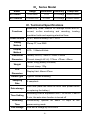
III.Series Model .................................................................................. 4
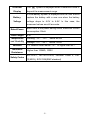
IV. Technical Specifications .................................................................. 4
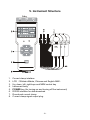
V. Instrument Structure ......................................................................... 6
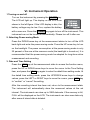
VI. Instrument Operation ...................................................................... 7
1 Turning on and off ...................................................................... 7
2. Selecting Power-saving Mode .................................................. 7
3. Date and Time Setting............................................................... 7
4. Auto Record Internal Setting ..................................................... 8
5. Data Inquiry ............................................................................... 8
6. Deleting Data............................................................................. 9
7. Leakage/current measurement................................................. 9
8. Real-time Monitoring ............................................................... 11
9. Data Download........................................................................ 11
VII. How to operate the monitor software........................................... 12
1. Home Page ............................................................................. 12
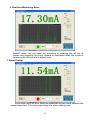
2. Real-time Monitoring Menu..................................................... 13
3. Alarm Prompt .......................................................................... 13
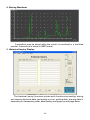
4. Storing Waveform.................................................................... 14
5. Historical Inquiry Display......................................................... 14
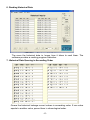
6. Reading Historical Data .......................................................... 15
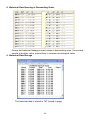
7. Historical Data Queuing in Ascending Order .......................... 15
8. Historical Data Queuing in Descending Order........................ 16
9. Historical Data Storage ........................................................... 16
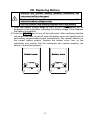
VIII. Replacing Battery........................................................................ 17
Ⅸ. Accessories................................................................................... 18