1
SCANNER SETUP .............................................................................................. 47
SCANNER SETUP COMPLETE ........................................................................... 48
SB1000 CALIBRATION ................................................................................... 50
PASSWORD..................................................................................................... 51
PASSWORD CHANGED................................................................................... 52
OPT-OUT....................................................................................................... 53
Adding to the OPT-OUT list ........................................................................... 54
Removing an account from the OPT-OUT list ...................................................... 54
STOP FILTER .................................................................................................. 55
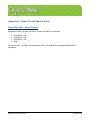
Appendix A: Report Format Specifications ....................................................... 56
DepositNow! Web - Report Formats ...................................................................... 56
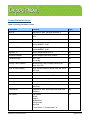
Posting File Report Format ................................................................................. 57
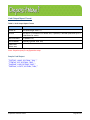
Yardi Output Report Format ............................................................................... 59
Sample Yardi Output ................................................................................... 59
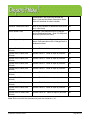
ACH Item Return Codes and Descriptions ................................................................ 60
Image Item Return Codes and Descriptions .............................................................. 62
Rejected Item Descriptions................................................................................. 63
Appendix B: Internet Explorer Settings ........................................................... 64
Internet Explorer 6.0 ........................................................................................ 64
Trusted Sites ............................................................................................
Advanced Settings ......................................................................................
Pop-Up Blocker Settings ...............................................................................
Internet Explorer 7.0 ........................................................................................
64
67
68
69
Security Settings for Internet .........................................................................
Trusted Sites ............................................................................................
Security Settings for Trusted Sites ...................................................................
Advanced Settings ......................................................................................
Pop-Up Blocker Settings ...............................................................................
69
71
73
75
76
DepositNow! Web User Guide
Page 3 of 76