1
TIMING
COMET - P
ARALLELDISPLA
Y
PARALLELDISPLA
ARALLELDISPLAY
Page 1
List of Contents
1. General ........................................................................................... 2
1.1. Connection of the Comet with an ALGE timing device ..............................2
1.1.1. Power supply from the timing device ................................................................... 2
1.1.2. Comet with internal battery .................................................................................. 2
2. Timing with the ALGE TdC 4000 ..................................................... 3
2.1.
2.2.
2.3.
2.4.
STANDARD - TdC 4000 standard programs .............................................4
PARALLEL - Parallelslalom measured with TdC 4000 ..............................6
SPEED - Speed measurement with TdC 4000 ..........................................6
SKATING - Speed skating measured with TdC 4000 ................................6
3. Timing with the ALGE Timer S3 ...................................................... 7
3.1.
3.2.
3.3.
3.4.
STANDARD - Timer S3 standard programs ..............................................7
PARALLEL - Parallelslalom measurement with Timer S3 .........................7
SPEED - Speed measurement with Timer S3 ...........................................7
PARCOUR - Show jumping measurement with Timer S3 ........................7
4. Timing with the ALGE Timer S4 ...................................................... 7
4.1.
4.2.
4.3.
4.4.
4.4.
STANDARD - Timer S4 standard programs ..............................................7
PARALLEL - Parallelslalom measurement with Timer S4 .........................7
SPEED - Speed measurement with Timer S4 ...........................................8
SWIMMING - Swimming measurement with Timer S4 ..............................8
PARCOUR - Show jumping measurement with Timer S4 ........................8
5. Timing with ALGE Selftimer SF2 ..................................................... 8
6. STA N DARD - Timing with ALGE timing devices .............................. 8
Comet Paralleldisplay copyright by:
Version E-93-06-03
ALGE-TIMING
AUSTRIA
Page 1
TIMING
COMET -P
ARALLELDISPLA
Y
-PARALLELDISPLA
ARALLELDISPLAY
1.
Page 2
GENERAL
The Comet with the Paralleldisplay software can be connected with the RS 232c interface of any
ALGE timing device. The Paralleldisplay shows all the data, which are sent by the timing device.
After turning the Comet on, select the timing device that delivers the data:
Device:TDC 4000
select Y/N ?
If you use the TdC 4000 as timing device press key "Y", otherwise key "N"
Device:TIMER S3
select Y/N ?
If you use the Timer S3 as timing device press key "N", otherwise key "N"
Device:TIMER S4
select Y/N ?
If you use the Timer S4 as timing device press key "N", otherwise key "N"
Device:Selftimer
select Y/N ?
If you use the Selftimer SF2 as timing device press key "N",
otherwise key "N"
Device:Standard
select Y/N ?
If you do not know which ALGE timing device is in use, press
key "Y", if timing is done with the TdC 4000 or Timer S3 press
key "N"
1.1.
Connection of the Comet with an ALGE timing device:
1.1.1.
Power supply from the timing device:
Cable 076-10 does the data transfer and power supply for the Comet Paralleldisplay form the TdC
4000 and Timer S3.
Plug the 5-pin connector at the ALGE TdC 4000 (data out 2) or Timer S3 (score board). Plug the 8pin connector at the data socket (11) of the Comet.
Attention: If you do not receive data at the Comet, turn the plug at the TdC 4000 or Timer S3 180°!
1.1.2.
Comet with internal battery:
ALGE cable 075-10 does the data transfer for the Comet Paralleldisplay from the TdC 4000 and
Timer S3.
Plug the 5-pin connector at the ALGE TdC 4000 (data out 2) or Timer S3 (score board). Plug the 8pin connector at the data socket (11) of the Comet.
Attention: If you do not receive data at the Comet, turn the plug at the TdC 4000 or Timer S3 180°!
Version E-93-06-03
Page 2
COMET - P
ARALLELDISPLA
Y
PARALLELDISPLA
ARALLELDISPLAY
TIMING
2.
Page 3
Timing with the ALGE TdC 4000
If you use the timing device TdC 4000 you have press key "N" until the display shows the following:
Progr: STANDARD
select Y/N ?
Progr: PARALLEL
select Y/N ?
All TdC programs except the ones listed below
Select with key "Y", "N" to continue
Parallelslalom
Select with key "Y", "N" to continue
Progr: SPEED
select Y/N ?
Speed measurement
Select with key "Y", "N" to continue
Progr: SKATING
select Y/N ?
Speed skating
Select with key "Y", "N" to continue
Memory:
After tuning the Comet on, it is possible to clear the memory by pressing the key "Y".
11
TIMES
CLEAR Y/N ?
There are 11 times stored in the memory. If you press now
key "Y" all times are cleared, by pressing key "N" you safe
the memory.
You can store up to 950 times in the memory of the Comet Paralleldisplay when using the TdC
4000 STANDARD mode. All other modes do not store the times.
Version E-93-06-03
Page 3
COMET -P
ARALLELDISPLA
Y
-PARALLELDISPLA
ARALLELDISPLAY
TIMING
2.1.
Page 4
STANDARD - TdC Standardprograms:
Input GROUP
select Y/N ?
If you want to make a group casement press key "Y",
otherwise "N".
Y
Input GROUP
from STN #
N
2:
21
e.g. startnumber 21
Confirm
*
Input GROUP
from STN #
3:
Input the 1st number of the 2nd group (e.g. 41). The 1st
group are now the numbers from 21 to 40.
e.g. startnumber 41
41
*
Input GROUP
from STN #
Input the 1st number of the 2nd group (e.g. 21). The 1st
group are now the numbers from 1 to 20.
Confirm
4:
N
COMET READY!
Input the 1st number of the 4th group. If you do not want to
input another group press key "N".
Press key "N"
The Comet is now ready to show the data of the TdC 4000
on the display!
The Paralleldisplay shows the following informations on the display, if it is connected with the TdC
4000:
running time:
Startnumber 5
5
Group 1, running time
1
1:03
5
1
3
L
+0.43
1:20.64
Version E-93-06-03
finish arrival:
Startnumber 5, 3rd rank, 0,43 sec. behind startnumber 5
Group 1, run time
Page 4
COMET - P
ARALLELDISPLA
Y
PARALLELDISPLA
ARALLELDISPLAY
TIMING
Page 5
Classement:
All times are stored and can be shown any time in the display. You can show any startnumber or
rank in the display.
With the key "Y" and "N" it is possible to switch from the shown rank to the next.
Y ............
.previous rank
N ...........
.next rank
Function
1st Input
1st rank
A = run time
B = total time
Rank of the
choosen
group
Rank
(key 0 to 9)
Confirm
(*)
A = run time
B = total time
Rank with
group
Rank
(key 0 to 9)
Confirm
(*)
Group
(key 0 to 9)
Startnumber
Startnumber
(key 0 to 9)
A = run time
B = total time
Version E-93-06-03
2nd Input
3rd Input
4th Input
Describtion
the first rank of the group
will be shown
the choosen rank of the
group will be shown
A = run time
B = total time
the choosen rank of the
choosen group will be
shown
the time of the choosen
startnumber will be shown
Page 5
COMET -P
ARALLELDISPLA
Y
-PARALLELDISPLA
ARALLELDISPLAY
TIMING
2.2.
Page 6
PARALLEL - Parallelslalom measured with TdC 4000:
If you use the TdC 4000 for timing a Parallelslalom, set up the Comet Paralleldisplay as well in the
TdC 4000 Parallelslalom mode.
2.3.
SPEED - Speed measurement with TdC 4000:
If you use the TdC 4000 for speed measurement, set up the Comet Paralleldisplay as well in the
TdC 4000 SPEED mode.
The speed is allways shown in km/h.
2.4.
SKATING
SKA
TING - Speed skating measured with the TdC 4000:
If you use the TdC 4000 for speed skating, set the Comet Paralleldisplay as well in the TdC 4000
speed skating mode up.
For speed skating it shows the startnumber, times and laps for both competitors.
5
6
2
2
1:20.72
1:21.03
Bib 5, to laps to go, intermediate time 1:20.72
Bib 6, to laps to go, intermediate time 1:21.03
The competitor shown in the upper line of the display starts always on the inside track (the TdC
4000 display shows "I"), the competitor shown in the lower line of the display starts always on the
outside track (the TdC 4000 display shows "A").
Version E-93-06-03
Page 6
COMET - P
ARALLELDISPLA
Y
PARALLELDISPLA
ARALLELDISPLAY
TIMING
Page 7
3. Timing with the ALGE Timer S3
There are four different programs for the Timer S3. You can choose the programs with the key "Y",
with key "N" you switch to the next program.
3.1.
STANDARD - Timer S3 Standardprograms:
For all programs from the Timer S3 except Parallelslalom, speed, and show jumping.
3.2.
PARALLEL - Parallelslalom measurement with Timer S3:
If you select the Parallelslalom of the Timer S3 it shows in the Comet display R for red parcour,
and b for blue parcour.
3.3.
SPEED - Speed measurement with Timer S3:
If you select the Parallelslalom of the Timer S3 it shows in the Comet display "R" for red parcour,
and "b" for blue parcour.
3.4.
PARCOUR - Show jumping measurement with Timer S3:
If you use the Timer S3 with the show jumping software it shows the following the Comet display:
4.00
0:43.93
Points
Time
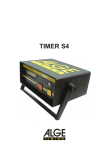
4. Timing with the ALGE Timer S4
There are four different programs for the Timer S4. You can choose the programs with the key "Y",
with key "N" you switch to the next program.
4.1.
STANDARD - Timer S4 Standardprograms:
For all programs from the Timer S4 except Parallelslalom, speed, swimming, and show jumping.
4.2.
PARALLEL - Parallelslalom measurement with Timer S4:
If you select the Parallelslalom of the Timer S4 it shows in the Comet display R for red parcour,
and b for blue parcour.
Version E-93-06-03
Page 7
COMET -P
ARALLELDISPLA
Y
-PARALLELDISPLA
ARALLELDISPLAY
TIMING
4.3.
Page 8
SPEED - Speed measurement with Timer S4:
If you select the Parallelslalom of the Timer S4, it shows in the Comet display "R" for red parcour,
and "b" for blue parcour.
4.3.
SWIMMING - Swimming measurement with Timer S4:
If you select the Swimming program of the Timer S4, it shows in the Comet display the lane and
time from each competitor.
4.4.
PARCOUR - Show jumping measurement with Timer S3:
If you use the Timer S4 with the show jumping software it shows the following the Comet display:
4.00
0:43.93
Points
Time
5. Timing with ALGE Selftimer SF2
This program is usable for almost all ALGE timing devices. It shows exactly the data that the
Comet receives through the serial interface.
You can use the Comet Paralleldisplay in this mode without any further operation.
6.
ARD - Timing with ALGE timing de
vices
TA
DARD
devices
ST
AND
This program is usable for almost all ALGE timing devices. It shows exactly the data that the
Comet receives through the serial interface.
You can use the Comet Paralleldisplay in this mode without any further operation.
Version E-93-06-03
Page 8