1
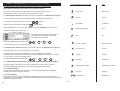
CONTENTS
1.
GENERAL FEATURES
2.
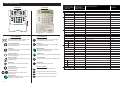
KEYPAD LAYOUT
3.
KEYPAD INDICATIONS
4.
4.1
4.2
4.3
4.4
4.5
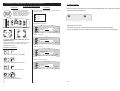
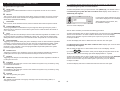
GENERAL OVERVIEW OF KEYPAD DISPLAYS
Partition Indications
Arm modes
Displaying system faults
Displaying open zones
Displaying open zones
5.
5.1
5.1.1
5.1.2
5.2
5.2.1
5.2.2
5.3
5.3.1
5.3.2
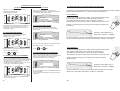
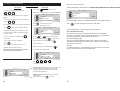
ARMED / DISARMED MODES USING LED KEYPAD
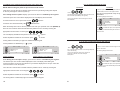
Arming a single partition with keypad allocated to this partition.
Arming when the option “Display open zones” is enabled by the engineer.
Arming when the option “Display open zones in disarm” is disabled by the engineer.
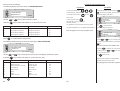
Displaying the status of the system when the partition is armed.
Common display
Private mode
Disarming single partition with keypad allocated to the partition
Disarming the system in normal mode.
Disarming the system after alarm condition when
“Display zones in alarm” is disabled by the engineer
Disarming the system after alarm condition when
“Display open zones in alarm” is enabled by the engineer
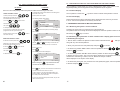
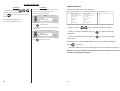
Arming the system from keypad in multiple partitions
Arming when the option “Display open zones in day” is enabled by the engineer
Arming when the option “Display open zones in disarm” is disabled by the engineer
Displaying the status of the system when the partition is armed.
Common display
Private mode
Disarming the panel in multiple partition
Disarming the system in normal mode
Disarming the system after alarm condition when
“Display zones in alarm” disabled by the engineer
Disarming the system after alarm condition when
“Display open zones in alarm” is enabled by the engineer.
5.3.3
5.4
5.4.1
5.4.2
5.5
5.5.1
5.5.2
5.6
5.6.1
5.6.2
5.6.3
6.
6.1
6.1.1
6.1.2
6.2
6.2.1
6.2.2
6.3
6.3.1
6.3.2
6.3.3
6.4
6.4.1
6.4.2
6.5
6.5.1
6.5.2
6.6
6.6.1
6.6.2
6.6.3
6.7
6.8
6.10
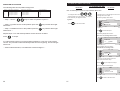
ARMED / DISARMED MODES USING LCD KEYPAD
Arming a single partition with keypad allocated to this partition.
Arming when the option “Display open zones” is enabled by the engineer.
Arming when the option “Display open zones in disarm” is disabled by the engineer.
Displaying the status of the system when the partition is armed.
Common display
Private mode
Disarming single partition with keypad allocated to the partition
Disarming the system in normal mode.
Disarming the system after alarm condition when
“Display zones in alarm” is disabled by the engineer
Disarming the system after alarm condition when
“Display open zones in alarm” is enabled by the engineer
Arming the system from keypad in multiple partitions
Arming when the option “Display open zones in day” is enabled by the engineer
Arming when the option “Display open zones in disarm” is disabled by the engineer
Displaying the status of the system when the partition is armed.
Common display
Private mode
Disarming the panel in multiple partition
Disarming the system in normal mode
Disarming the system after alarm condition when
“Display zones in alarm” disabled by the engineer
Disarming the system after alarm condition when
“Display open zones in alarm” is enabled by the engineer.
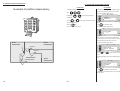
Golden rules for partitions
Display open zones
Fault tones
1