1
Deliverable D6.1-3: WISERBUGS (WISER Bioassessment Uncertainty Guidance
Software) tool for assessing confidence of WFD ecological status class
4.
Input files details
All of the input files are EXCEL (.xls) files. However, the program should be able to also read
and use EXCEL files with the newer ‘.xlsx’ extension.
If any problems occur, save files in .xls format.
Five input files are required:
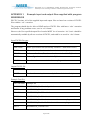
Input EXCEL files
File Code name
Content
‘FMETSPEC’
Metric specification file (uncertainty estimates + multi-metric rules)
‘FOBS’
Observed values of each metric for each site/waterbody
‘FEONE’
Reference Condition (E1) values of each metric for which EQR = 1
‘FEZERO’
Values (E0) of each metric for which EQR = 0
‘FCORR’
(optional) Correlations between metrics in their sampling variation
The contents, layout and format of each type of input files are explained in Sections 4.1 – 4.4.
Cells left blank are treated as missing values, zero values or ignored; as appropriate.
Working examples of each type of input file are listed below and in Appendix 1.
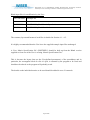
Example Test files
File Code name
Example file
‘FMETSPEC’
WISERBUGS_TestMetricsSpec11.xls
‘FOBS’
WISERBUGS_TestObs11.xls
‘FEONE’
WISERBUGS_TestEZero11.xls
‘FEZERO’
WISERBUGS_TestEOne11.xls
‘FCORR’
WISERBUGS_TestCorr11.xls
- with some sampling correlations
WISERBUGS_TestCorrNull11.xls - with zero sampling correlations
Page 17/59