1
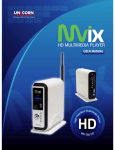
Mvix Ceeno+ Digital Signage Player w/ HDMI
3
Hardware Installation
From Left to Right
12V DC Power Adapter (included)
AV-in: Composite Video and Audio Input (3-in-1 cable included)
AV-Out: Composite Video and/or audio output
YPbPr: Component Video Output
VGA: VGA Video port (cable not included)
HDMI: HDMI AV Output (HDMI cable included)
LAN: Connect to LAN or Internet network (RJ45) via CAT5 (or (CAT6) cable
Note: Mvix Ceeno+ uses a solid-state external storage compact flash
(CF) card or USB thumb drive for media storage and playback. Using
a high-speed CF card or a USB drive is mandatory. USB drives / CF
Cards are not included in the package. A High-Speed CF Card is
recommended for faster download and optimal response
performance by the digital signage player. (Format the CF card in
‘FAT32’ file system for better file structure performance)
•
•
•
If both CF and USB devices are inserted, CF card will be ignored. Insert only one type of media at a time.
Maximum allowed capacity is up to 32GB for either of the external storage options
USB detection is normally slower than CF card. Choose a high speed compact card for higher performance.
Mvix Ceeno +
3
Users Manual