1
AVSIM Online - Flight Simulation's Number 1 Site!
cruise speed of 135 Knots (RG) & 120 Knots (FG), maximum operating altitude of 10,000 feet and a maximum cruise
range 750 nautical miles. The Aerospool WT-9 Dynamic is one of the earliest manufactured light sport airplanes and
to date more than 250 aircraft have been sold worldwide.
Installation and Documentation
I am reviewing the FSX version of the Aerospool Dynamic; a FS2004 version is also available as a separate purchase.
The review product uses the Flight1 activation and installation process which requires an active internet connection.
Other vendors are also selling the aircraft, so your install process may differ from what I am about to describe.
Run the setup program, agree to the license agreement, verify or browse to the correct location of your FSX program
files then click next and start. After clicking the start button, installation continues and installs the aircraft onto your
hard drive. This whole process from activation to installation should only take a couple of minutes.
The first time that you load the Dynamic in FSX, you will be asked to “Run”
and “Accept” the gauge files as trusted software, click the Yes button and the
aircraft will load. The User Manual can only be opened from the aircraft. I
e-mailed Lionheart Creations to see if it would be possible to download the
manual. I like to have a printed document on my lap when I am first
learning a new aircraft. They responded quickly but unfortunately, only the
in-plane interactive manual is included.
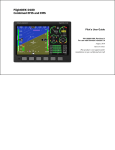
Interactive manual
They did explain how to print out the pages of the manual. This is
accomplished by copying the LHC-WT9 cabinet file, located in the FSX Gauges folder, to the desktop then decompiling
it with WinZip or another unpacking program. All of the pages will be there in Windows Bitmap format ready for
printing.
Interior Model
Lionheart Creations has done an excellent job with the interior textures. I could not find a single blurry texture. All
objects, both large & small, are three dimensional looking. Everything including passenger seat belts, luggage,
Emergency Locator Transmitter, maps on right side of the cockpit and signage all look great. Even the exposed wires
under the panel and along the right side of the cockpit are modeled.
The interactive manual is opened by clicking on the manual on the left side of the cockpit. All of the interiors are the
same for all of the aircraft. The seatbelt harness is partially missing from view on the left seat indicating that the
virtual pilot is seated in the aircraft, even though they are not viewable in the virtual cockpit view. Personally, I would
have preferred not to have any part of the belt showing or have an option to have the entire harness viewable when
parked with engines off and parking brake on.
Another thing that I would like to see added to the interior is to have the passenger headset located somewhere in the
cockpit. The headset is viewable from the spot view but not from the virtual cockpit view. There is a button on the
panel that turns the plexiglass windshield on or off, which is a feature that I like because sometimes I want a clear
glass windshield.
The interior has a modern and very clean appearance as you would expect from an aircraft made from carbon fiber
materials. Normally I like at least one aircraft that has stains, scratches, etc., indicating an aircraft that has had
some use, but with the Dynamic I do not have a problem that this has not been included.
Forward area of cockpit
http://www.avsim.com/pages/0711/Lionheart/Dynamic.html (2 of 7)16/07/2011 10:39:09 AM
Aft area of cockpit