1
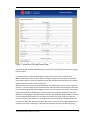
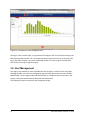
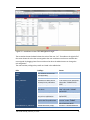
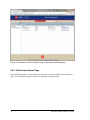
Figure 12: Screenshot of the Upload Page for SMU Heatflow Data.
As can be seen the system asks for 4 individual files that have to be uploaded. Once the
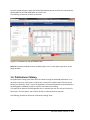
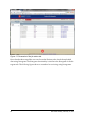
files have been uploaded the user can change to the Job Status tab. In this tab the user
can monitor the progress of the upload process. When the job of uploading data is completed successfully the “Staged” message shows up. Failures are signaled as well and
when clicking on the failure message the user gets some hints what has been wrong with
the uploaded data.
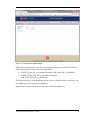
The following screenshot shows the job status page for the SMU data upload.
last saved: Monday, February 10, 2014
17