1
5.5 Manual operation
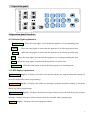
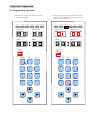
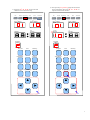
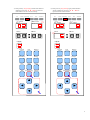
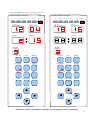
1) Press key Manual to make the system enter the manual mode, the Manual lamp lights.
2) Press keys ▲
+
▼-
◄
► to move the hanging basket.
5.6 Startup decontamination
Turn on the green switch (beside the red switch), startup the air decontamination. Decontamination
fitting should avoid working long time.
5.7 Alarm function
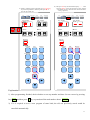
1) When under the manual operation, press the
direction moving keys, if the hanging basket locate at
the limit position, it will alarm( single and length sound).
2) When under the manual operation, press the
◄
► direction moving keys, if the hanging basket
doesn’t locate at the highest position, it will alarm.
3) When press Check key, if there are not stored program, it will alarm.
4) If the key operation right, it will has a single and short sound to express the system has received the
command.
6 Safety warning
1). The liquid should far away 2.5cm from the tank brim to avoid the liquid leak out.
2). Disconnect the equipment from power supply each time after use.
3). The operator should watch the instrument’s running circs to find and deal with the abnormal
condition in time.
4). Forbid operating under dropping liquid condition, to avoid the organic reagents drop into the
product inside.
5). The input power supply must have good earthing.
6). Don’t open the equipment without authorization to prevent high voltage shock.
7). Use fuses with correct capacity.
8). Ensure that the power supply socket and circuit are able to withstand at least.
9). The equipment should be installed far away from any interference source.
16