1
Chapter 1- Unpacking and Setting Up Your Passport
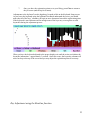
Contents of the Passport package
Your Passport package includes the following:
1.
2.
3.
4.
5.
6.
7.
8.
9.
10.
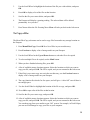
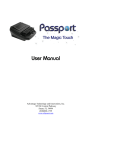
The Passport writer
Light-weight, carrying case, with padded exterior and interior compartments,
space for all cables and the tripod, and a zippered pocket on the outside for files,
etc.
AC adapter and power cord
USB cable
Serial cable
Tripod with carrying pouch
Main and backup batteries installed
CompactFlash card with PCMCIA adapter
SD Memory card
Passport User Manual
Setting up
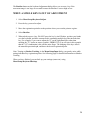
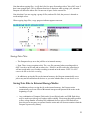
Unfold the tripod and adjust to a comfortable height. The center support shaft can be adjusted to
provide any height between 15” and 29”.
First, be sure that the tripod’s shaft is securely tightened so it will not rotate while attaching the
Passport. Place the writer on the tripod, line up the locking mechanism, and rotate clockwise
until it locks in place. Be sure to rotate it until a click is heard.
To remove tripod, unlock using the lever on the left side of the locking mechanism, rotate the
writer counterclockwise, and lift it off the tripod.
Note: Power Cord attachment
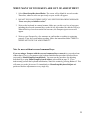
The power cord for the AC adapter is designed to fit loosely in the Passport. This will allow the
cord to come out in case someone trips over the power cord, and will reduce the chance of your
Passport's being knocked over and damaged.
Key pads
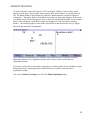
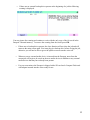
You may wish to use key pads (sticky-back pads cut to the shape of the keys) with your Passport,
to give you some cushioning. If you do, be sure the pads do not touch one another, or they may
cause adjacent keys to stick down, creating stacking problems.
9