1
Sesam
Xtract
Program version 3.0
5.1
1-FEB-2011
5-5
File Commands
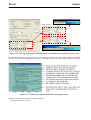
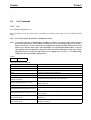
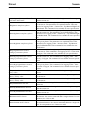
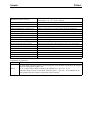
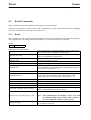
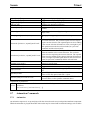
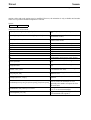
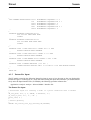
These commands access and produce files. Also resetting registry settings is found in this section.
5.1.1
Open
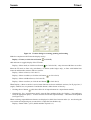
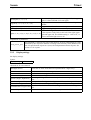
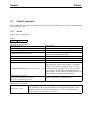
Open file(s) of specific type. In the case of JNL (Command input file) the file is also processed.
Syntax:
open
file-type-code filename
[global-response-file]
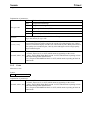
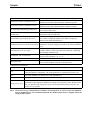
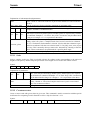
Explanation of parameters:
Command input file
JNL
Note: ‘open JNL filename’ is equivalent to ‘source filename’.
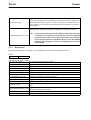
file-type-code
FEM
Input Interface File – T-file (prefixT#.FEM)
SIF
Sequential formatted (ASCII) Results Interface File – R-file (prefixR#.SIF)
SIU
Sequential unformatted Results Interface File – R-file (prefixR#.SIU)
SIN
Database (NORSAM) format of Results Interface File – R-file (prefixR#.SIN)
VTF
VTF-file (produced by Wasim, Riflex, Stofat or Installjac)
The full name of the file to open including the file type and if necessary also the
directory/folder path. file-type-code pertains to filename.
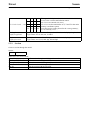
filename
Optionally a Hydrodynamic Results Interface File (also termed ‘Global Response
[global-response-file] File’) may be opened together with an Input Interface File or a Results Interface
File. See Section 2.1 for more details on postprocessing of various file types.
5.1.2
Source
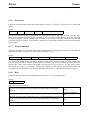
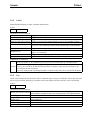
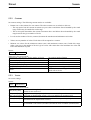
Open and process a Command input file (.JNL).
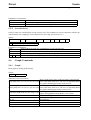
Syntax:
source
filename
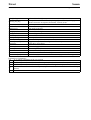
filename should be the full name of the file including the file type (preferably .jnl) and if necessary also the
directory/folder path.