1
CHAPTER 6. ANALYSIS USING THE PLUGIN AND THE IVA WEB INTERFACE
21
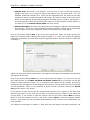
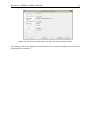
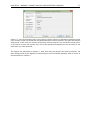
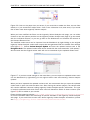
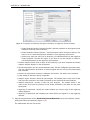
Figure 6.6: Click on the paper icon (red arrow) if you would like to delete the filter, see the filter
details, or if you would like to adjust them. Click on the information icon (blue arrow) if you would
like to learn more about Ingenuity Variant Analysis.
When you have modified the filters on the Ingenuity Variant Analysis web page, you can either
choose to use the options provided on the Ingenuity Variant Analysis web page to go into detail
with the individual variants, or you can go back to the Workbench and visualize the variants in
the Genome Browser View.
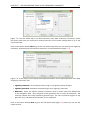
The modified variant track can be imported into the Workbench by right-clicking on the original
Ingenuity Variant Analysis variant track output that was generated with the default filter settings
(see figure 6.7). Choose Variant Analysis Update and save the updated variant track in the
Navigation Area. The updated variant track will be saved with the name extension "(IVA update)",
which means that the original variant track will not be overwritten by the updated variant track.
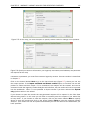
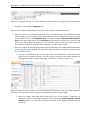
Figure 6.7: If you have made changes to the used filters, you can import the updated variant track
into the Workbench by right-clicking on the original variant track and choosing "Variant Analysis
Update".
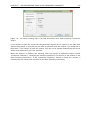
When you have imported the updated variant track, we recommend that you open the updated
variant track in split view with the table view. After running the variant analysis, the variant table
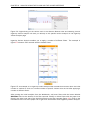
will contain additional columns holding Ingenuity Variant Analysis-specific information. The type
of analysis performed and which filters were used will determine which of these columns (see
figure 6.8) will be added to your results.
Please visit the Ingenuity websitehttp://www.ingenuity.com/products/variant-analysis
for more information about the wide range of options available on the Ingenuity Variant Analysis
web page. If you would like to learn more about Ingenuity Variant Analysis annotations, please
see http://ingenuity.force.com/variants/VariantTutorials.